EasyManua.ls Logo

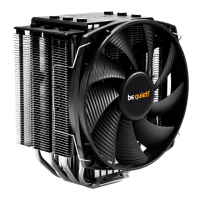
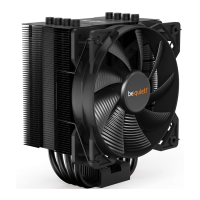
BE QUIET! DARK ROCK 2 - User Manual

BE QUIET! DARK ROCK 2
2 pages
Print Icon
To Next Page IconTo Next Page
Loading...
Einleitung: Vielen Dank, dass Sie sich für ein hochwertiges be quiet! Produkt

sein, und Sie Schritt für Schritt durch diesen leiten. Sollten bei der Installation
Schwierigkeiten auftreten, zögern Sie nicht, uns unter service@be-quiet.net zu
kontaktieren. Unser Customer-Service-Team steht Ihnen gerne für Fragen zur
Verfügung. be quiet! kann keinerlei Haftung für durch Kompatibilitätsprobleme
bedingte Schäden übernehmen.
Introduction: Congratulations on your purchase of a high-quality be quiet!
product. These instructions provide step-by-step help with the installation process.
If you encounter problems during installation, please don’t hesitate to contact
us at service@be-quiet.com. Our customer service team will gladly answer your
questions. be quiet! cannot assume any responsibility for damages related to
compatibility problems.
Introduction : Nous vous remercions d’avoir choisi un produit de qualité be
quiet!. Cette notice est conçue pour vous aider à installer votre matériel. Elle vous

cette installation, n’hésitez pas à nous contacter sous service@be-quiet.fr. Notre
équipe de service à la clientèle se fera un plaisir de répondre à vos questions.
be quiet! ne peut assumer la responsabilité des dommages résultants de
problèmes d’incompatibilité.
Instrucciones: Muchas gracias por haber elegido un producto de calidad de
be quiet! Estas instrucciones le ayudarán en el proceso de instalación y le guiarán

contactarnos a través de service@be-quiet.net. Nuestro equipo de atención al
cliente estará encantado de ayudarle. be quiet! no asume ninguna responsabilidad
por los daños debidos a problemas de compatibilidad.
Wprowadzenie: 






Installation: ACHTUNG: Sollte Ihr Mainboard bereits über ein Retention-
Modul zur Befestigung von CPU-Kühlern verfügen, so entfernen Sie dieses
zunächst. Überprüfen Sie vor dem Einbau des Kühlers, ob sämtliche Teile zur
Installation vorhanden sind.
Installation: NOTE: If your mainboard already has a retention module for

required for installation are on hand before attempting to install the cooler.
Montage :

le radiateur en place, contrôler la présence de l’ensemble des pièces.
Montaje: ATENCIÓN: Si la placa base ya dispone de un módulo de retención

ventilador, compruebe que tiene todas las piezas para la instalación.



Lieferumfang / Scope of delivery / Fourniture
/ Contenido / Zestaw zawiera
Quantity
be quiet! Dark Rock 2 CPU-Kühler/ be quiet! Dark Rock 2 CPU
cooler / Le radiateur de CPU Dark Rock 2 / Ventilador de CPU

1

®

®
fan

®
avec matériel

®


®

1
Intel/AMD Backplate / Intel/AMD back plate / Plaque arrière
Intel/AMD / Placa de apoyo de Intel/AMD / backplate Intel/AMD
1
Intel Montagebrücken LGA1150, 1155, 1156 / Intel mounting
brackets LGA1150, 1155, 1156 / Supports de montage Intel


2
Intel Montagebrücken LGA1366, 775 / Intel mounting brackets
LGA1366, 775 / Supports de montage Intel LGA1366, 775 /

Intel LGA1366, 775
2
Intel Montagebrücken LGA2011 / Intel mounting brackets
LGA2011 / Supports de montage Intel LGA2011 / Puentes de

2
AMD Montagebrücken / AMD mounting brackets / Supports


2


4


4


4
LGA2011 Distanzmuttern / LGA2011 spacer nuts /
Écrous-entretoises pour support LGA2011 / Tuercas

4



4

spanner / Clé à fourche pour les écrous 6 pans de support


1


1
Socket
LGA2011
Socket
LGA1150, LGA1155, LGA1156
Socket
LGA1366, LGA775
Socket
AM2(+), AM3(+), FM1, FM2
Socket
754, 939, 940
Befestigung der Backplate: Platzieren Sie die längeren Schrauben auf der Rückseite der Backplate

 . Diese
werden seitlich an der Schraube angedrückt bis diese einrasten.
Installing the back plate: Move the long screws through the drill holes from the rear toward the front

spacers 
into place.
Fixation de la plaque arrière : Placer les vis longues à l'arrière de la plaque dans les trous perforés.

 . Ces derniers sont

Fijación de placa de apoyo: coloque los tornillos más largos 


 
Mocowanie backplate:  

 .

Achtung: Beachten sie bei LGA1150/1155/1156 Mainboards, dass die Befestigung der Intel Backplate
innerhalb der Aussparungen der Backplate liegen.
Note: For LGA1150/1155/1156 mainboards, mind that the cut-outs on the back plate 
to the fastening point of the intel back plate.
Attention :
arrière intel s'insère dans les découpes de celle-ci .
Atención:
de intel esté dentro de las ranuras de la placa de apoyo
.
Uwaga:

.
( Bottom view )
1366
1150/1155/1156
775
754
939
940
AM2(+)
AM3(+)
FM1 / FM2
Intel LGA775/1150/1155/1156/1366 & AMD

Question and Answer IconNeed help?

Do you have a question about the BE QUIET! DARK ROCK 2 and is the answer not in the manual?

Summary

Product Installation

Backplate Mounting

Secure the backplate to the motherboard using screws and C-profile spacers until they click into place.

LGA2011 Clamping System Installation

Screw the spacing nuts into the LGA2011 socket frame using the hexagonal spanner.

Mounting Brackets Installation

Attach mounting brackets for Intel/AMD sockets to the cooler bottom using short screws.

Heat Transfer Paste Application

Clean CPU, apply a thin, uniform layer of thermal paste. Avoid excess for optimal cooling.

CPU Cooler Installation (LGA775;115 x;1366 & AMD)

Remove protective film, place cooler on CPU, tighten screws firmly to the motherboard.

CPU Cooler Installation (LGA2011)

Remove protective film, place cooler on CPU, tighten hexagonal nuts firmly using the spanner.

Fan Connection

Connect the fan to the mainboard's PWM signal for optimal performance.

Warranty Information

BE QUIET! DARK ROCK 2 Specifications

General IconGeneral
TypeCooler
Airflow96.8 m³/h
Fan diameter135 mm
Maximum airflow57.9 cfm
Suitable locationProcessor
Maximum air pressure1.64 mmH2O
Rotational speed (max)1300 RPM
Noise level (low speed)8.7 dB
Noise level (high speed)21.2 dB
Compatible processor series-
Supported processor socketsSocket 754, Socket 939, Socket 940
Mean time between failures (MTBF)300000 h
Connector(s)4p PWM
Heatsink dimensions (W x D x H)96 x 166 x 95 mm
Bearing technologyFDB
Voltage12 V
Thermal Design Power (TDP)180 W
Power consumption (typical)2.64 W
Product colorBlack
Weight and Dimensions IconWeight and Dimensions
Depth138 mm
Width97 mm
Height166 mm
Weight860 g
Cable length0.2 m
Fan dimensions (W x D x H)135 x 135 x 25 mm

Related product manuals