Chapter 2 Panel Operation
1. Overview
The schematic diagram of the fixture panel is shown in Figure 3. The title above shows the
lamp name, and the status bar below shows the signal, bulb status, and fault of the
current lamp ("ERR" is displayed when the fault information is not viewed, otherwise
"NOR" is displayed).
This fixture supports the DMX/RDM protocol. When the lamp is searched by the RDM host,
three letters "RDM" will appear on the panel, indicating that the lamp is normally
enumerated.
The display and operation are similar to "Android operating system". Click the
corresponding item with your fingertip or blunt object to operate
2. Menu operation
1. Select the menu item
The left area is the TFT display area and the touch area. Click the panel content with your
finger or blunt hardware to complete parameter settings or check the status.
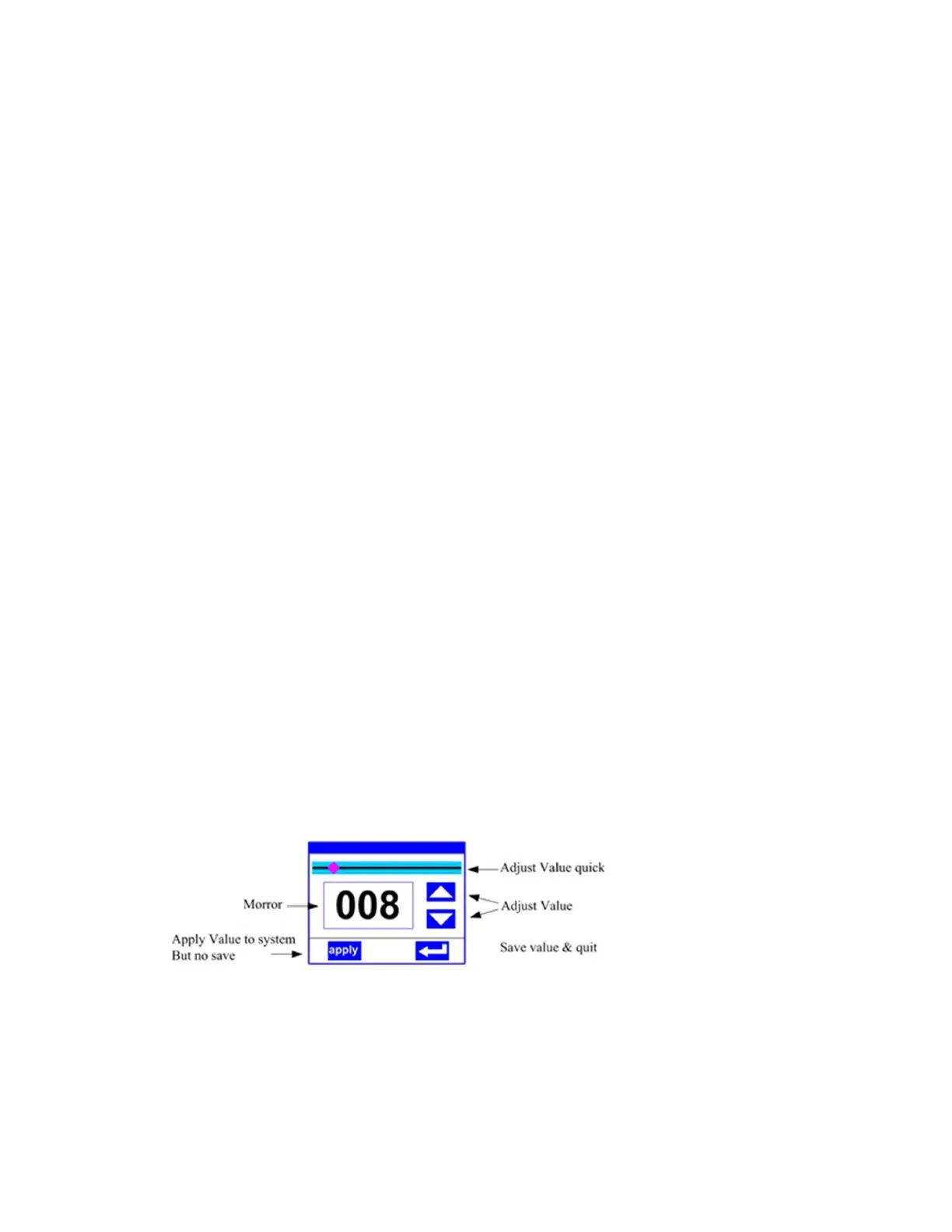
2. Parameter value input
Setting value: You can directly pull the slider to quickly set the required value, or click the
"Up" or "Down" button on the right to precisely set the required value or use auxiliary
input to set.


 To Next Page