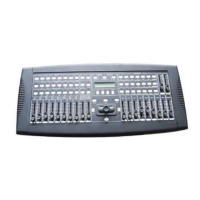
8. Master A fader: This fader controls overall output of preset A.
9. Blind button: This function takes the channel out of the chase of a program in CHNS /SCENE mode.
10. Master B fader: This fader controls overall output of preset B.
11. Home button: This button is used to deactivate the “Blind” function.
12. Fade time fader: Used to adjust the fade-time.
13. Tap sync: button to synchronize the STEP rhythm with the music.
14. Speed slider: Used to adjust the chase speed.
15. Full-on: This function bring overall output to full intensity.
16. Audio level:
This fader controls the sensitivity of the Audio input.
17. Black out: This button switches all outputs to zero. The yellow LED is flashing.
18. Step:
This button is used to go to next step or following scene.
19. Audio: Activates audio sync of chase and audio intensity effects.
20. Hold: This button is used to maintain current scene.
21. Park: In CHNS-SCENES mode, press it to select SINGLE CHASE or MIX CHASE. In DOUBLE PRESET, pressing
PARK B is same as MASTER B at the maximum. In SINGLE PRESET, pressing PARK A is same as MASTER A at the
maximum.
22. Add / Kill / Record exit:
Add mode, this buttons allows you to activate multiple scenes or flash buttons
Kill mode, selecting a scene or flash button will kill any other active scene.
Record mode, this buttons allows you to exit the record mode.
23. Record / Shift: Record is used to activate Record mode or program a step. Shift functions only used with other
buttons.
24. Page/Rec clear: Press it to select desired SCENE program in appropriate page
25. Mode select / Rec speed: Each tap will activate the operating mode in the order CHNS-SCENES, Double Preset and
Single Preset. Rec Speed: Set the speed of any of the programs chasing in Mix mode.
26. Dark: This button is used to momentarily black out overall output, including FULL ON and FLASH.
27. Edit / All rev: Edit is used to activate Edit mode. All Rev is to reverse the chasing direction of all programs.
28. Insert / % or 0-255: Insert is to add one step or steps into a scene. % or 0-255 is used to change display value cycle
between% and 0-255.
29. Delete / Rev one: Delete any step of a scene or reverse the chasing direction of any program.
30. Up / Chase Rev: Up is used to modify a scene in Edit mode. Chase Rev is to reverse the chasing direction of a scene
under Speed Slider control
31. Down / Beat rev. :
DOWN functions to modify a scene in Edit mode; BEAT REV is used to reverse the chasing
direction of a program with regular beat.



 To Next Page