9
Before using the robot, please make sure it is sufficiently powered.
The charging temperature is 0~ 40℃ /32~104°F. While charging, it is recommended to keep the
robot within the Wi-Fi coverage area and away from moisture and direct sunlight.
Tips
1
3 4 5
21
3 4 5
2
UP
UP
UP
UP
8.2 Charging
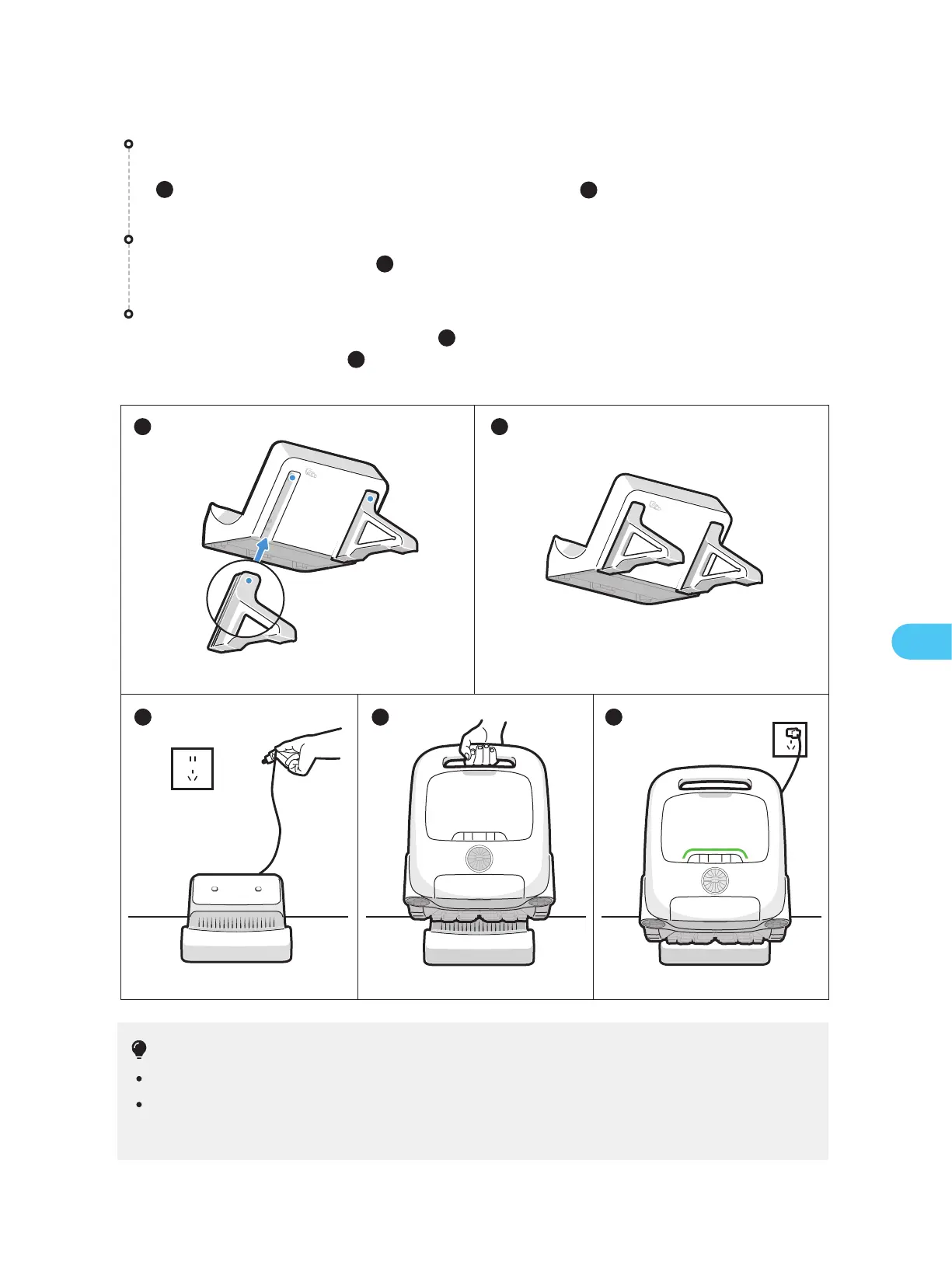
Install the charge dock
Push the bracket from the bottom up into the groove on the back of the charge dock
( ). It is properly installed when you hear a "click"( ).
2
Connect the power supply
Plug into the power source( ).
3
Charge the robot
Place the robot on the charge dock ( ). When the panel indicator on the robot
shows a breathing light ( ), it means the robot is charging.
4
5
1
EN


 To Next Page