EN
8
8 Product Operation
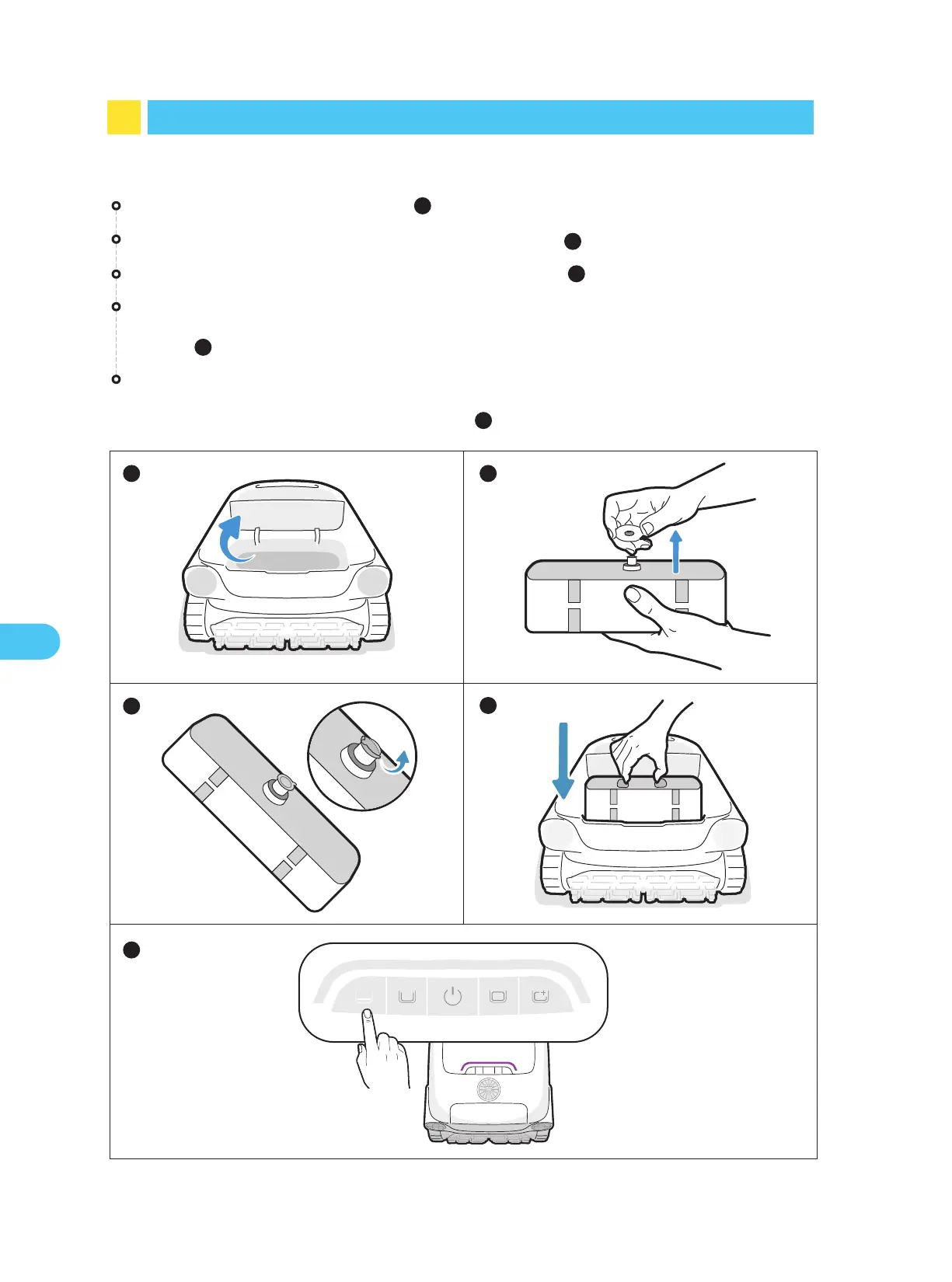
8.1 Installation of Clarifying Agent Kit
Tear off the aluminum film on the interface of the kit ( ).
Position the kit onto the robot with the interface facing downwards. Gently but firmly
press it into place until you hear a "click" sound or a voice prompt. Then, close the
cover ( ).
Press and hold the "Floor Mode" button for about 3s to activate the clarifier dispens-
ing. The purple light on the robot indicates a successful activation. Press and hold the
button for about 3s again to deactivate it ( ).
Open agent kit cover of the robot ( ).
Take out the clarifying agent kit and remove the cap ( ).
1
4
5
2
3
1
5
2
3
4


 To Next Page