11
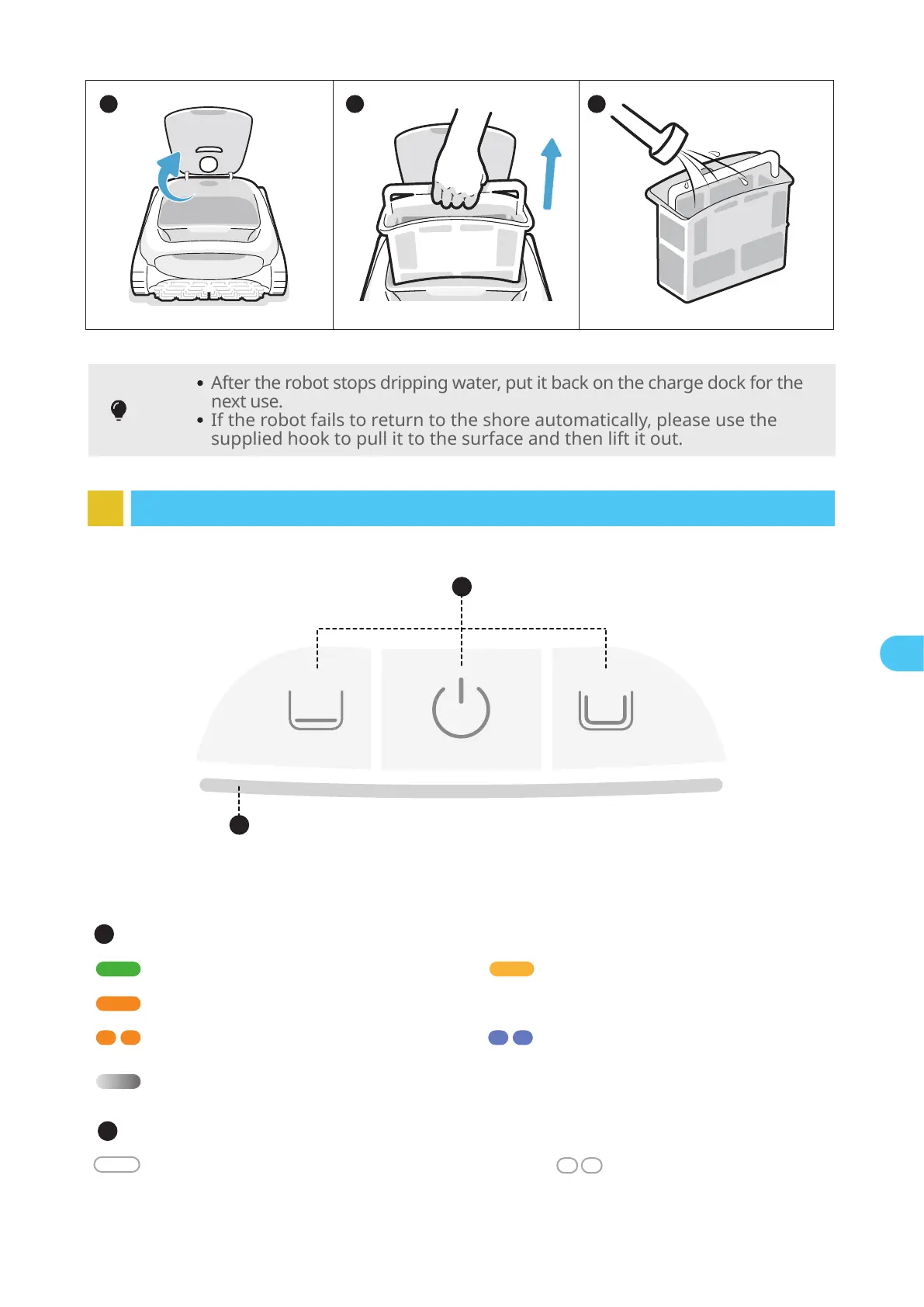
8 Lighting Effects
2
1
3 4
Tips
After the robot stops dripping water, put it back on the charge dock for the
next use.
If the robot fails to return to the shore automatically, please use the
supplied hook to pull it to the surface and then lift it out.
5
Network configuring/
OTA upgrading
Flashing blue light
Panel Indicator
Sufficient battery power Solid green light
15%≤Battery≤30%Solid yellow light
Battery ≤15%Solid orange light
1
Robot malfunctionFlashing orange light
ChargingBreathing light (The displayed light color corresponds to the current battery level)
Power Button+Mode button
Robot is powered on;
This cleaning mode is selected
Solid white light
ReturningFlashing white light
2
EN


 To Next Page