10
Pull the robot out of the swimming pool gently( ).
After completion of the cleaning task, the robot will attach itself to the waterline next to
the wall( ).
If left idle for an extended period, the robot will descend to the pool floor to conserve
power. To retrieve it, the supplied hook can be utilized.
7.4 After Cleaning
1
2
Clean the filter basket
Open the top cover of the robot ( ), take out the filter basket ( ), rinse the filter clean
and put it back into the robot( ) .
3
5
4
Floor Wall
2
1
3
4
7.3 During Cleaning
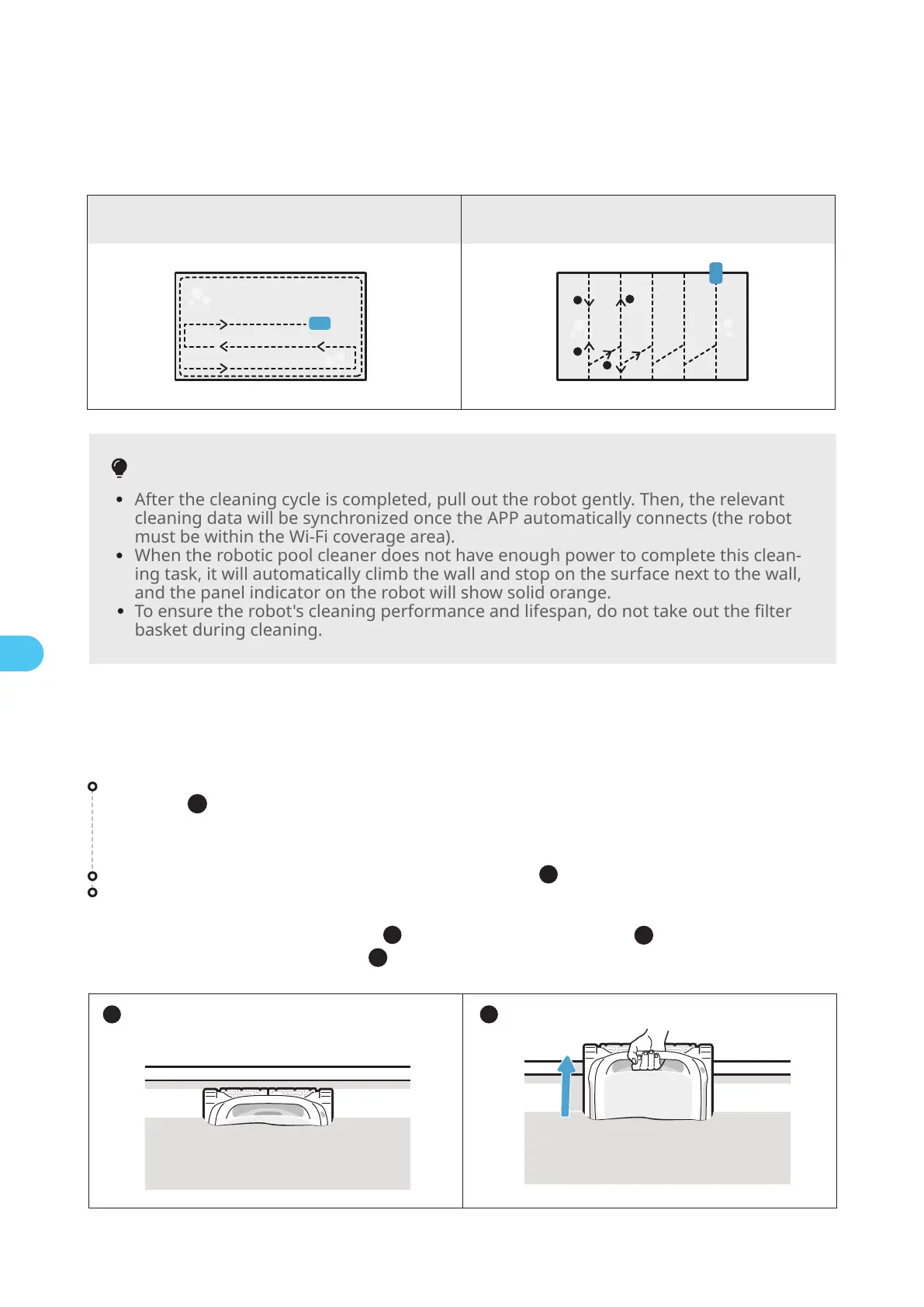
Cleaning Path:
Tips
After the cleaning cycle is completed, pull out the robot gently. Then, the relevant
cleaning data will be synchronized once the APP automatically connects (the robot
must be within the Wi-Fi coverage area).
When the robotic pool cleaner does not have enough power to complete this clean-
ing task, it will automatically climb the wall and stop on the surface next to the wall,
and the panel indicator on the robot will show solid orange.
To ensure the robot's cleaning performance and lifespan, do not take out the filter
basket during cleaning.
1 2
EN
* The robotic pool cleaner will automatically disconnect from the phone after
entering the water.


 To Next Page