7 Product Operation
8
EN
1
3 4 5
2
UP
UP
UP
UP
Before using the robot, please make sure it is sufficiently powered.
The charging temperature is 0℃ ~ 40℃ /32~104°F. While charging, it is recommended
to keep the robot within the Wi-Fi coverage area and away from moisture and
direct sunlight.
Tips
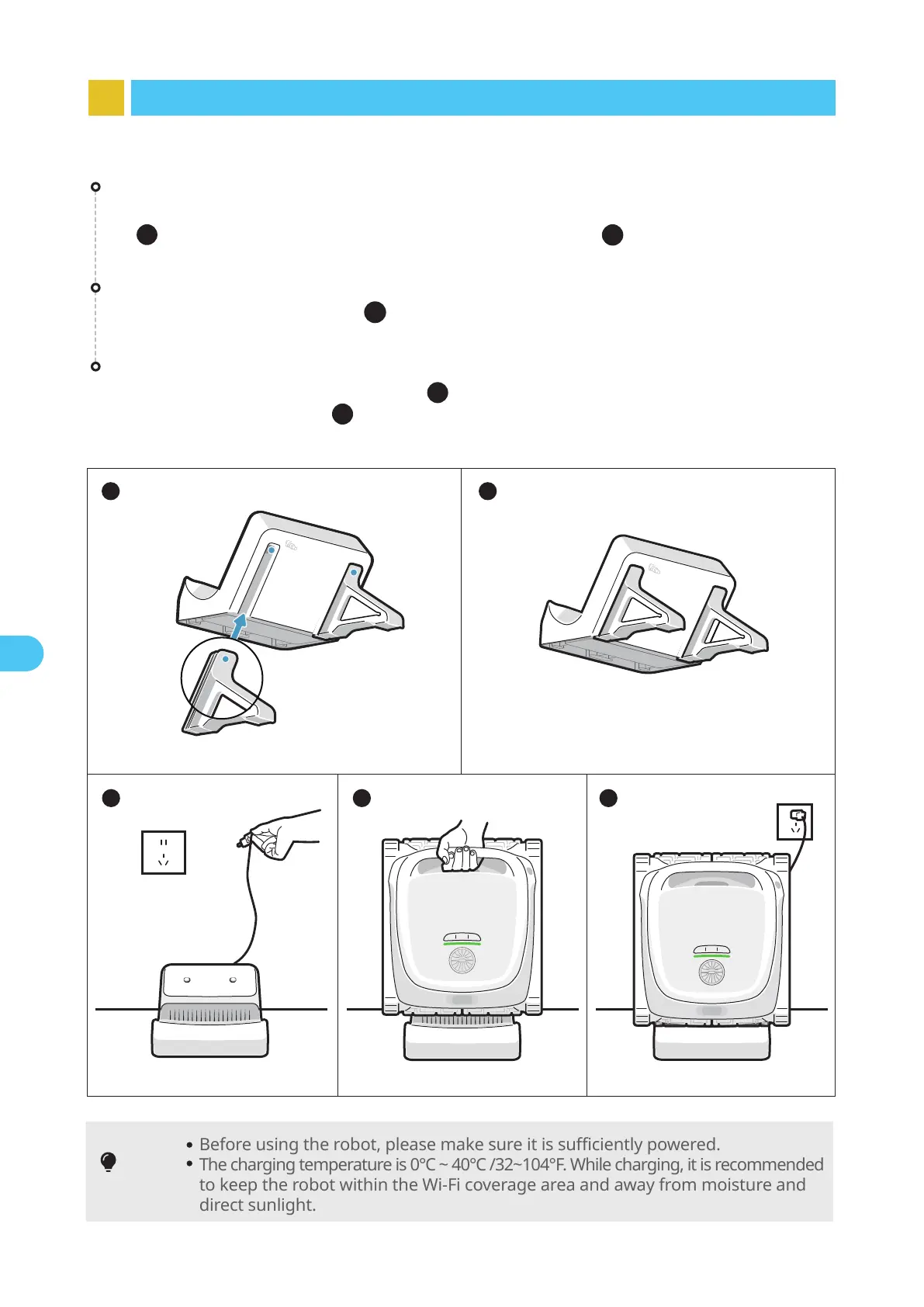
7.1 Charging
Install the charge dock
Push the bracket from the bottom up into the groove on the back of the charge dock
( ). It is properly installed when you hear a "click"( ).
1
2
Connect the power supply
Plug into the power source( ).
3
Charge the robot
Place the robot on the charge dock( ). When the panel indicator on the robot
shows a breathing light( ), it means the robot is charging.
4
5


 To Next Page