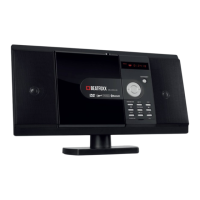
MCD-60
Inserting the battery
Open the battery compartment cover.
Insert the new battery (button cell lithium battery CR2025, not included). Make sure
that the positive and negative poles are respected.
Close the cover.
Using the remote control
For best results, point the remote control towards the signal receiver on the player
front panel. Stay within 5 meters and an angle of 60 degrees or less.
Remove the battery during storage or when you are not using the player for a long
time.
Notes:
Low batteries can leak and cause damage to the remote control.
Remove the battery from the battery compartment as soon as it is low, or if the
remote control is not going to be used for a long period of time.
Operation:
Basic Operation
Switching the unit on/off
Press button on the player or on the remote control to turn the unit on. When the
unit is on, press button to turn it off.
Mute
Press MUTE button to mute the sound instantly. Press it again will resume the
sound.
Volume adjustment
Press the VOL-/VOL+ buttons on the remote control or the player to increase or
decrease the volume level.
Equalization
Press EQ button on the remote control to turn on equalization function and to select
desired audio mode. There are several kinds of mode as below:
→ POP →ROCK → CLASS → FLAT→ JAZZ → VOCAL → OFF
Function mode selection
Press MODE button on the player or on the remote control to select the desired
mode, such as CD, USB, FM radio, Bluetooth and AUX-IN mode.


 To Next Page