8 Microscope Troubleshooting
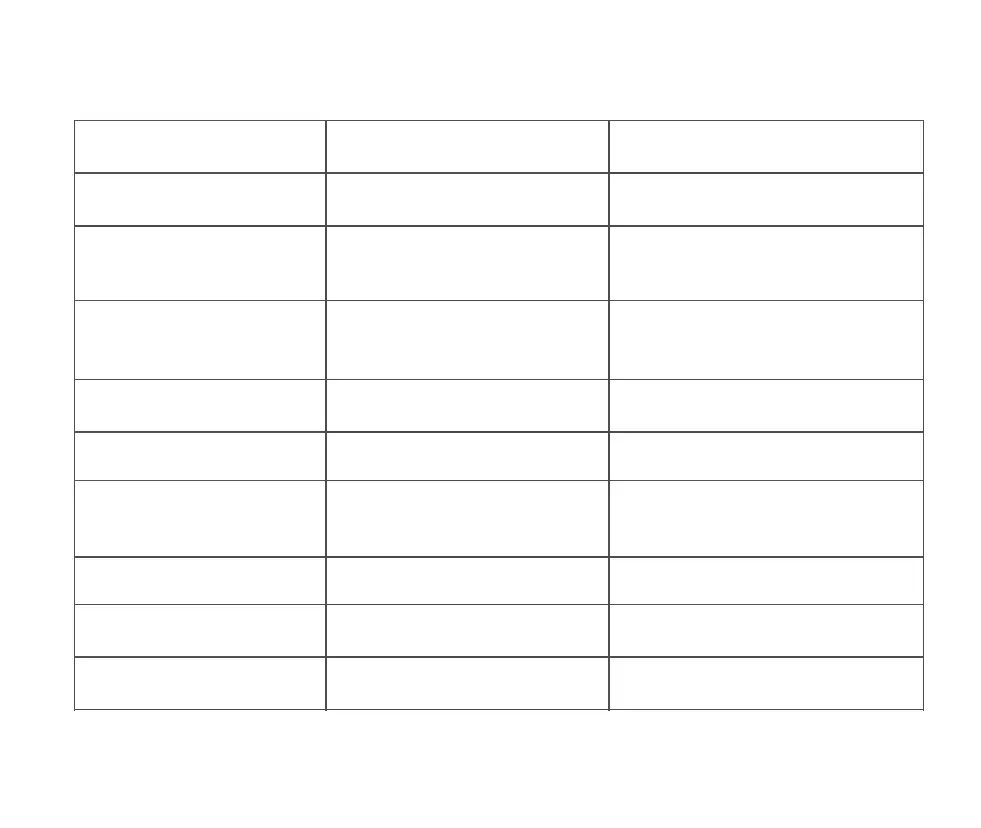
Problem Phenomenon Reason Processing Method
Heat during charging
High current during charging, high battery
heat, which is normal
Normal state
The app can't connect
①Distance too far ②Equipment without
power ③Equipment failure
①Repeat connection in close proximity ②Use
after charging the device ③App and device are
closed and restarted before use
④Send to repair
App suddenly disconnected
①Distance too far ②Equipment without
power ③Equipment failure
①Repeat connection in close proximity
②Use after charging the device ③App and
device are closed and restarted before use
④Send to repair
Device cannot be charged
①Charging port is not plugged firmly
②No power access ③Equipment failure
①Replug the interface ②Connect the power
③Send it to repair
The device is not working properly
Internal damage caused by water,
collision, etc.
①Send for repair ②Man-made damage, not
in the scope of the three packages policy
The device cannot connect to the
software side of the computer
①The interface is not inserted tightly
②The data cable is damaged
③Not using the connection cable with
data transfer function
①Replug the interface ②Replace the data
cable ③Replace the data cable with data
transfer function and then connect to use
Lens display image blur
Lens fogging due to radical changes in
ambient temperature
Wait for the temperature to equilibrate and
the fog to disappear before use
Specimen observation with foreign
matter, poor observation
Soiled specimen surface, soiled
observation panel
Wiping specimens and viewing panels
Drop, impact resulting in broken
and cracked shell
Damage caused by external use
Damage caused by man is not in the scope
of responsibility of the three packages
The product cannot be turned off
or the button does not work
Crash Perform a reset operation
23


 To Next Page