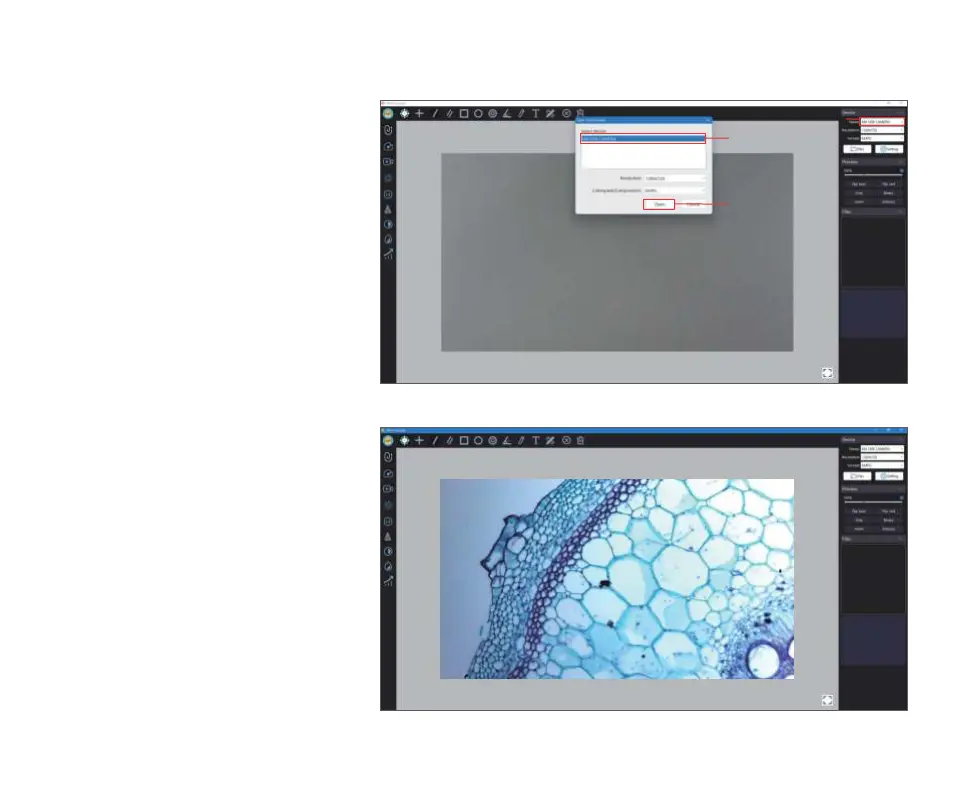
④ In the computer software,
click: connect device button
→ select device (select the
recognized camera device)
→ open
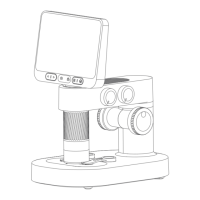
⑤ At this time, the software on
the computer side is directly
connected to the camera, so
you can use the computer to
observe directly.
15
Click Connect Device
Click Select Device
Click Confirm


 To Next Page