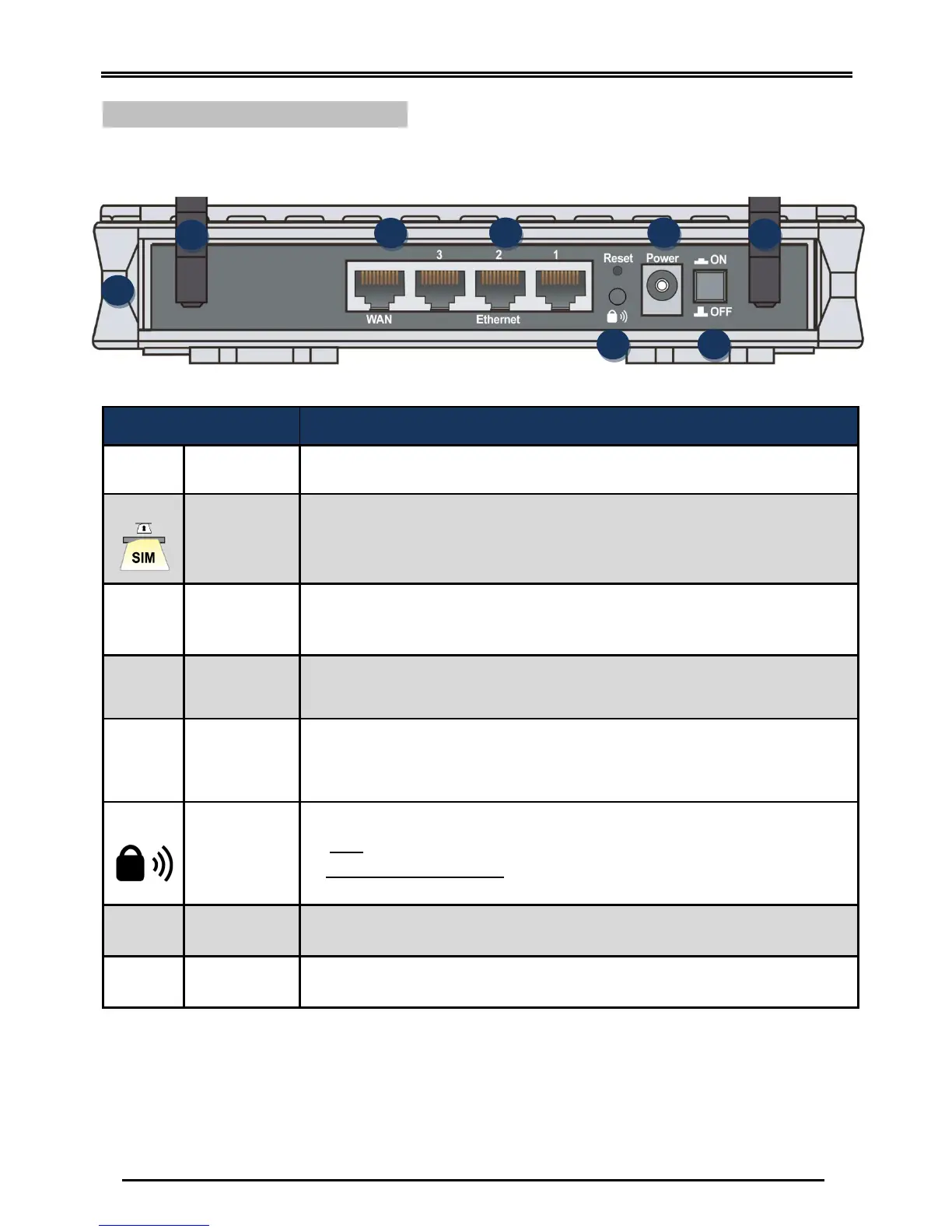
BEC 6200WZL 4G/LTE Cellular Broadband Router
Screw the supplied LTE antennas onto the antenna connectors on both sides.
Insert the mini SIM card (2FF) with the gold contact facing down.
Push the mini SIM card (2FF) inwards to eject it
Connect a UTP Ethernet cable (Cat-5 or Cat-5e) to one of the four LAN ports when
connecting to a PC or an office/home network of 10Mbps /100Mbps.
Connect to Fiber/ Cable/ xDSL Modem with a RJ-45 cable
WAN Port (LAN port 4) can also be a regular Ethernet LAN port.
After the device is powered on, press it 6 seconds or above: to restore to factory
default settings (this is used when you cannot login to the router, e.g. forgot your
password)
By controlling the pressing time, users can achieve two different effects:
(1) WPS
*1
: Press &hold the button for less than 6 seconds to trigger WPS function.
(2) Wireless ON/OFF button: Press & hold the button for more than 6 seconds to
On/Off the wireless.
Connect the supplied Power Adapter to this jack.



 To Next Page