What to do if...?
ProblemCauseRemedy
Drive is not functioning.Incorrect connection.Check connection.
Drive is running in the
wrong direction.
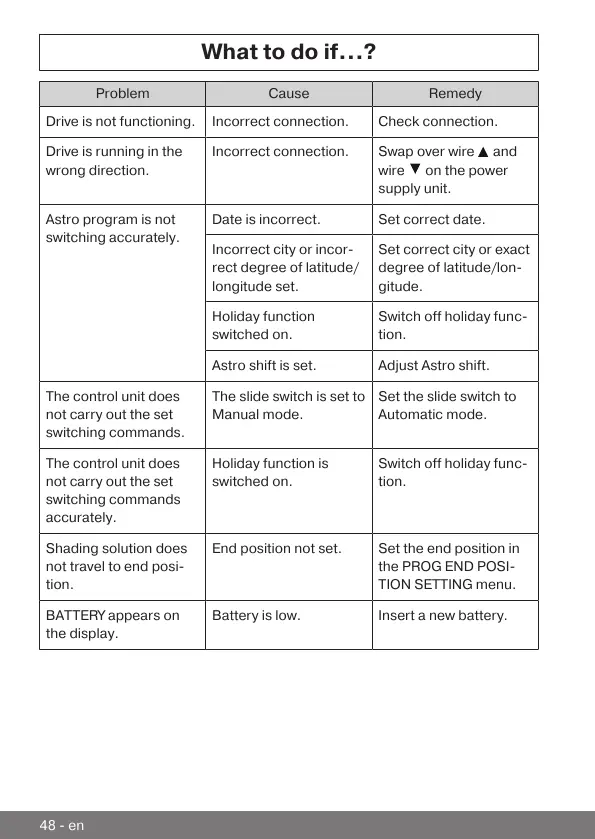
Incorrect connection.Swap over wire and
wire
on the power
supply unit.
Astro program is not
switching accurately.
Date is incorrect.Set correct date.
Incorrect city or incor-
rect degree of latitude/
longitude set.
Set correct city or exact
degree of latitude/lon-
gitude.
Holiday function
switched on.
Switch off holiday func-
tion.
Astro shift is set.Adjust Astro shift.
The control unit does
not carry out the set
switching commands.
The slide switch is set to
Manual mode.
Set the slide switch to
Automatic mode.
The control unit does
not carry out the set
switching commands
accurately.
Holiday function is
switched on.
Switch off holiday func-
tion.
Shading solution does
not travel to end posi-
tion.
End position not set.Set the end position in
the PROG END POSI-
TION SETTING menu.
BATTERY appears on
the display.
Battery is low.Insert a new battery.
48-en



 To Next Page