RÉGLAGE
VACANCES (vacances OFF/ON)
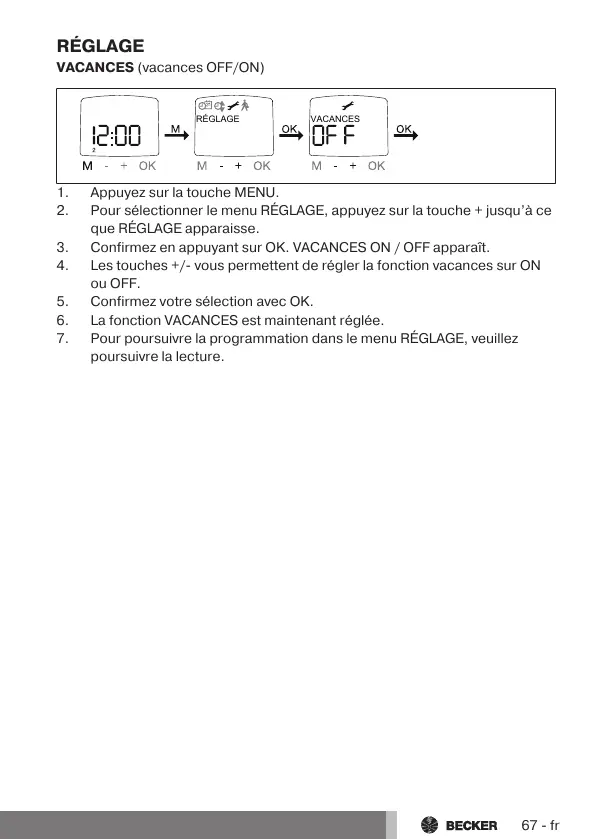
1.Appuyez sur la touche MENU.
2.Pour sélectionner le menu RÉGLAGE, appuyez sur la touche+ jusqu’à ce
que RÉGLAGE apparaisse.
3.Confirmez en appuyant sur OK. VACANCES ON / OFF apparaît.
4.Les touches+/- vous permettent de régler la fonction vacances sur ON
ou OFF.
5.Confirmez votre sélection avec OK.
6.La fonction VACANCES est maintenant réglée.
7.Pour poursuivre la programmation dans le menu RÉGLAGE, veuillez
poursuivre la lecture.
67-fr



 To Next Page