75
*HQHUDO2SHUDWLRQ
*HQHUDO2SHUDWLQJ,QVWUXFWLRQV
6ZLWFKLQJ2Q2II
Press the button.
Alternatively, switch on/ off: via the vehicle ignition. To
switch the unit on via the ignition, the unit must have pre-
viously been turned off via the ignition. After turning off the
vehicle ignition, the unit can be kept on by pressing the
button within 3 seconds
1RWH The unit can also be turned on without the vehicle ig-
nition by pressing the button, however will shut
off automatically after one hour.
$GMXVWLQJ9ROXPH
Turn left rotary control . The volume is increased or decre-
ased.
$FWLYDWH7RQH$GMXVWPHQW0HQX
Press the button. The Tone Adjustment menu is acti-
vated. The following functions can be called up:
(: (Bass),
!9) (Treble), (+ (Fader), (3 (Balance), 3; (Linear Set-
ting),
<) (Subwoofer) and +5 (Loudness).
Settings for bass, treble, fader, balance, and loudness for the
FM, AM (MW, LW, SW) wavebands, road traffic announce-
ments, navigation announcements, telephone operation, CD,
MP3 and CDC/AUX operation are stored separately.
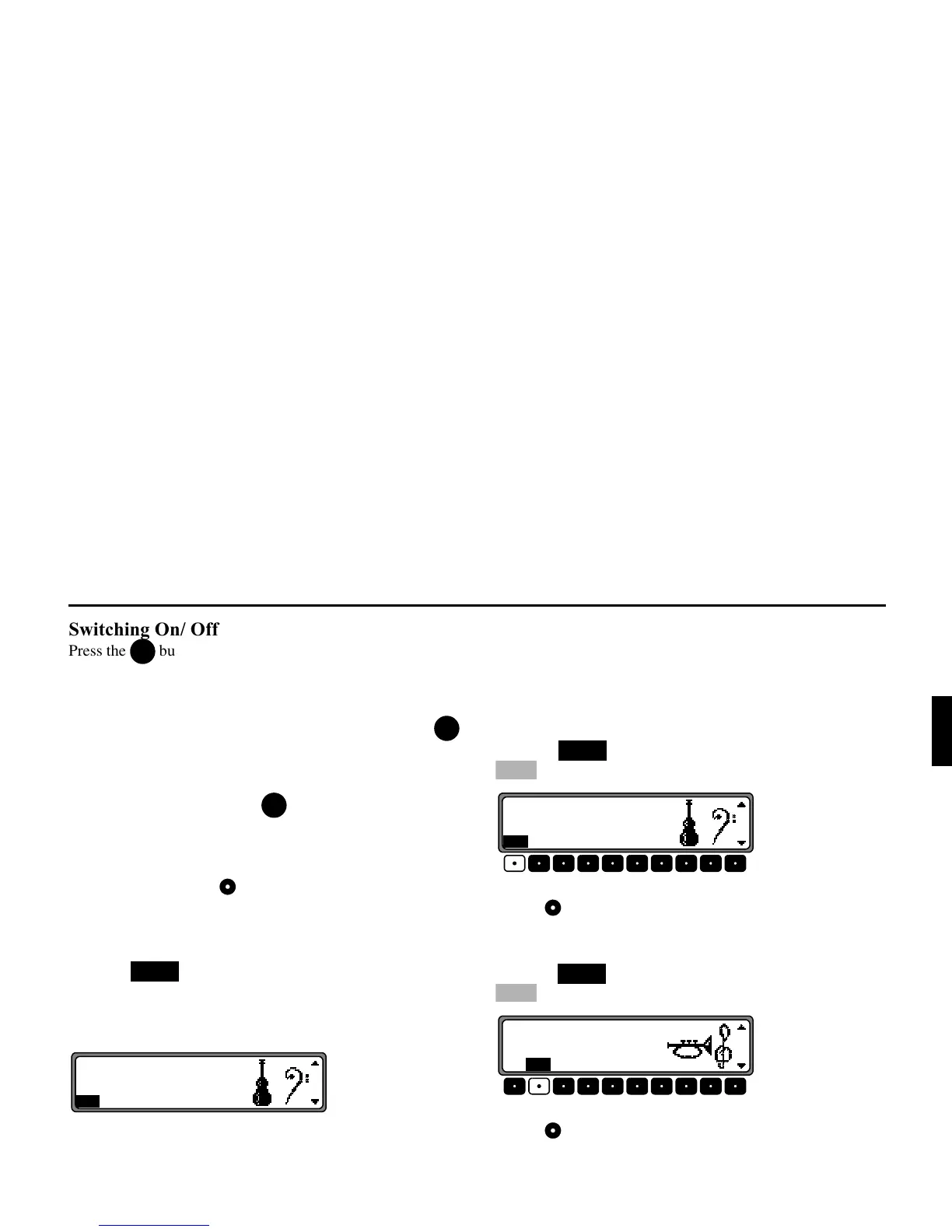
$GMXVWLQJWKH%DVV
Press the button.Then press the multifunction button
.
Adjust the bass to the desired level using the right rotary
control .
$GMXVWLQJWKH7UHEOH
Press the button. Then press the multifunction button
.
Adjust the treble to the desired level using the right rotary
control .
21
21
21
6281'















 To Next Page