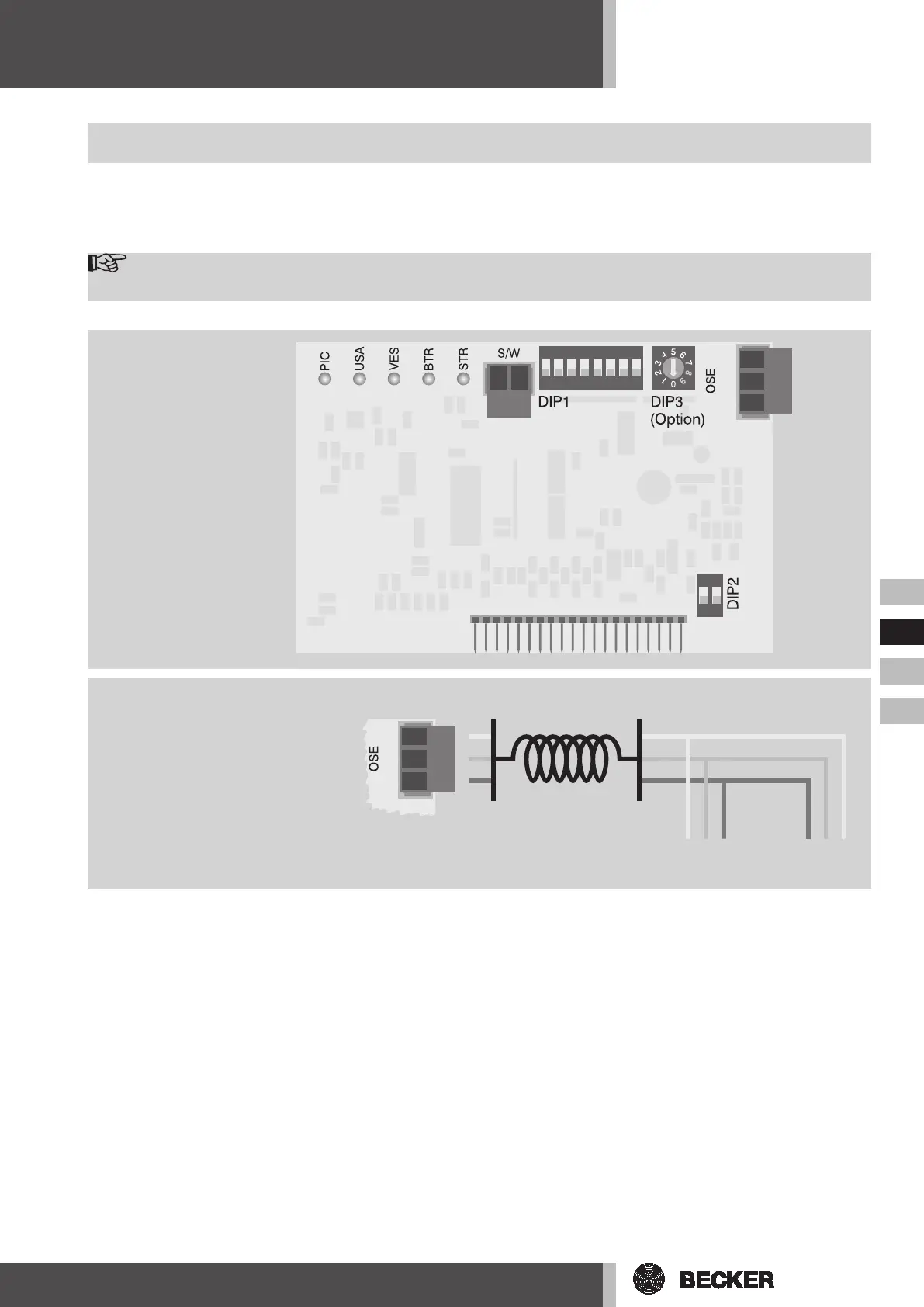
Connection of the Optical Safety Edge (OSE)
Multicard II
Optional:
Time Module
Multicard (DIP3)
with variable automatic
closing function (WZL)
Installation
Before commencing installation, disconnect the system from the mains!
Open the housing cover of the door control unit. Remove the ‘deadman’ plugin card, provided one exists, from the “plugin
card” insertion area and store it in the foil bag on the inside of the cover. Remove the new “Multicard II” from the packaging
and insert this along the plastic guide into the socket.
Note
Ensure accurate location of the contact pins!
ON
12345678
ON
12
ws
gn
br
8k2
1k2
OSE
EL-DW
helix cable
ws
gn
br
ws
gn
br
ws
gn
br
ws
gn
br
terminal box
transmitterreceiver
ws
gn
br



 To Next Page