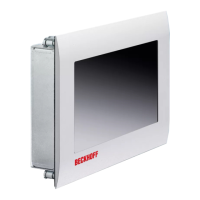
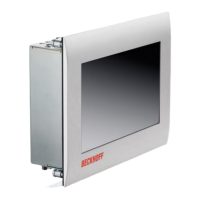
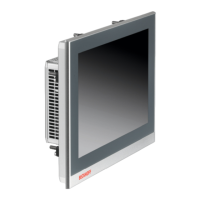
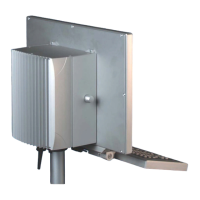
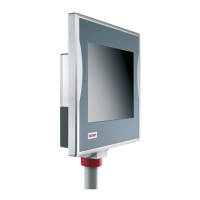
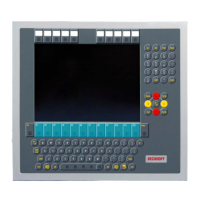
The Beckhoff CP6600-0001-0020 and CP6606-0001-0020 are "Economy" Built-in Panel PCs designed for versatile use in PLC and Motion Control applications within small and medium-sized machines, plants, or buildings. These devices can function as independent Panel PCs, remote desktop displays, or server terminals. They are particularly suited for installation in the front of control cabinets, with an optional wall mounting frame (C9900-M317) available for wall installations.
Function Description
At the core of these Panel PCs is a powerful 1 GHz ARM Cortex™ A8 CPU, enabling them to handle demanding control and automation tasks. The devices are equipped with an Ethernet port, facilitating network connectivity for various applications. They feature either a 10.1-inch TFT display with 1024 x 600 WSVGA resolution (CP6600-0001-0020) or a 7-inch TFT display with 800 x 480 WVGA resolution (CP6606-0001-0020), both of which are touch-sensitive for intuitive user interaction.
Connectivity options are conveniently located at the lower rear side of the housing. These include a power supply socket (X101) for 24 VDC input, an RJ-45 connector (X102) for 10/100BASE-T Local Area Network (LAN) connections, and another RJ-45 connector (X103) for EtherCAT Network integration. For connecting peripheral devices, two USB 2.0 interfaces (X104, X105, type A) are provided. A serial interface COM1 (X107) of type RS232, brought to a 9-pin SUB-D plug connector, is also available. A dedicated M4-screw connection (Ground) ensures proper grounding of the Panel PC.
The Panel PC operates without its own mains power switch; it activates automatically as soon as the power supply is switched on. For safe operation, it is crucial to properly close any running software before switching off the device to prevent data loss. After shutting down, the power supply should be switched off for at least 10 seconds before rebooting. If the PC was ordered without an operating system, users must install the operating system and necessary driver software for any auxiliary hardware themselves.
Usage Features
The design emphasizes ease of installation and robust operation. The Panel PCs feature an aluminum front and a sheet-steel rear cover, providing a protection class of IP54 for the front side and IP20 for the rear side. Pull-out clamping levers are integrated for fast installation without the need for loose parts, contributing to a low installation depth.
When installing in a control cabinet, adequate space for ventilation is essential, with a minimum clearance of 5 cm above and below the housing. The Panel PC should be positioned to avoid screen reflections and direct sunlight, and its ventilation openings must not be obstructed. For wall installation using the optional frame, the frame must be flush-mounted in the wall, ensuring the cable compartment is below the panel and oriented correctly. The holding force of the ball catch, which secures the Panel PC to the wall mounting frame, can be adjusted.
Operation of the Panel PC primarily occurs via the touch screen. Users are advised to actuate the touch screen only with fingertips or a touch screen pen, and if wearing gloves, to ensure no hard particles like metal shavings or glass splinters are embedded, to prevent damage.
Maintenance Features
The Panel PC is designed to be maintenance-free under normal operating conditions. However, specific tasks, such as replacing the battery on the motherboard, are user-accessible. The lithium battery for the system clock and a slot for a MicroSD Flash Card are located behind a cover plate next to the connectors. To access these, a cross-head screw must be unloosened, allowing the cover plate to be removed.
When replacing the battery, it is critical to use an identical type or an alternative recommended by the manufacturer, paying close attention to correct polarity to avoid the risk of explosion. Lithium batteries should not be recharged, exposed to fire, opened, or subjected to sunlight and moisture. Used batteries must be disposed of in accordance with national electronics scrap regulations.
Cleaning the device involves using a soft, damp cloth. Aggressive cleaning materials, thinners, scouring material, or hard objects should be avoided to prevent scratches. In emergency situations like a fire, the Panel PC should be extinguished with powder or nitrogen.
For disposal, the device must be removed and fully dismantled. Housing components (polycarbonate, polyamide (PA6.6)) are suitable for plastic recycling, metal parts can be sent for metal recycling, and electronic parts such as disk drives and circuit boards must be disposed of according to national electronics scrap regulations.
Status-LEDs, located near the power supply connector (X101), provide visual feedback on the device's operational state. The "TC (TwinCAT)" LED indicates Stop Mode (red), Run Mode (green), or Configuration Mode (blue). The "PWR (Power)" LED shows green for Busy and green blinking for Standby, aiding in quick status checks and troubleshooting. In case of faults, a troubleshooting guide is provided to help identify causes such as lack of power, cable disconnections, software issues, or faulty display components, and suggests measures like checking cables or contacting Beckhoff Service.



 To Next Page
 General