EasyManua.ls Logo

Beckhoff CP71 Series - User Manual

Beckhoff CP71 Series
23 pages
Print Icon
To Next Page IconTo Next Page
Loading...
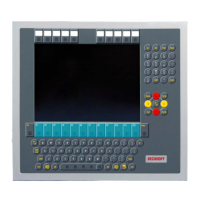
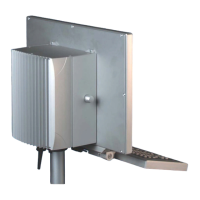
Installation and Operating instructions for
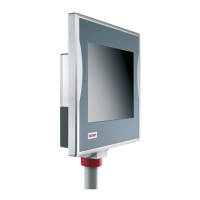
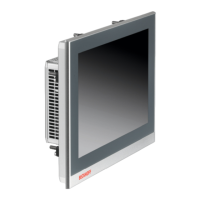
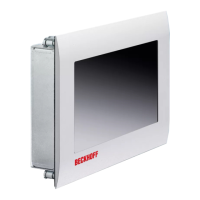
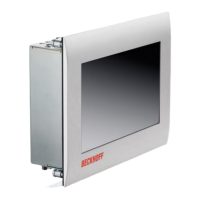
Panel-PC CP71xx
Version: 1.2
Date: 2006-03-06

Questions and Answers

  • S
    scookAug 10, 2025
    What to do if Beckhoff Touch Panel software starts but control doesn't operate correctly?
    • S
      Sara RothAug 11, 2025
      If your Beckhoff Touch Panel Industrial PC isn't working correctly after starting the software, the issue likely lies within the software itself or with elements of the plant external to the Industrial PC. In this case, it's recommended to contact the machine or software manufacturer for assistance.
  • A
    Amanda MorganAug 16, 2025
    How to troubleshoot a Beckhoff Touch Panel when nothing happens after switching it on?
    • C
      Crystal OwenAug 17, 2025
      If your Beckhoff Touch Panel Industrial PC isn't turning on at all, the cause could be that the Industrial PC is not getting power. Check the power supply cable to ensure it is properly connected. If the issue persists, contact Beckhoff Service.
  • J
    John AndrewsAug 23, 2025
    What to do if Beckhoff CP71 Touch Panel Industrial PC does not boot fully?
    • E
      emily59Aug 23, 2025
      If your Beckhoff Touch Panel Industrial PC is not booting completely, it might be due to a floppy disk or CD in the drive, or incorrect setup settings. Remove any floppy disks or CDs and press any key to continue. Also, verify the setup settings. If problems persist, contact Beckhoff Service.
  • J
    Jacqueline FigueroaAug 29, 2025
    Why am I getting a floppy disk or CD access error on my Beckhoff CP71?
    • C
      Christopher ThompsonAug 29, 2025
      If you're encountering floppy disk or CD access errors with your Beckhoff Touch Panel, it could be due to a faulty disk or CD, or a faulty disk drive. Try checking the disk or CD in another drive. If the issue continues, contact Beckhoff Service.
  • I
    Ian BarronSep 3, 2025
    What to do if Beckhoff Touch Panel functions only partially?
    • J
      Joe MarshallSep 3, 2025
      If your Beckhoff Touch Panel Industrial PC is only partially functioning, such as having no picture or a dark screen but the disk drive responds when switching on, this could indicate defective components within the Industrial PC. In this case, it's recommended to contact Beckhoff Service.

Beckhoff CP71 Series Specifications

General IconGeneral
BrandBeckhoff
ModelCP71 Series
CategoryTouch Panel
LanguageEnglish

Related product manuals