EasyManua.ls Logo

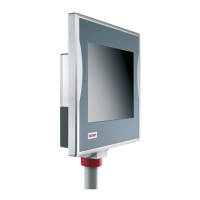
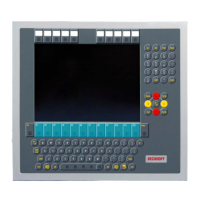
Beckhoff CP6706-0001-0050 - User Manual

Beckhoff CP6706-0001-0050
28 pages
Print Icon
To Next Page IconTo Next Page
Loading...
Installation and Operating instructions for
CP6700-0001-00x0/
CP6706-0001-00x0
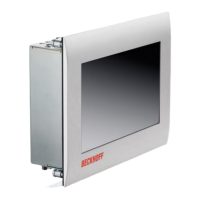
„Economy“ Built-in Panel PC
Version: 1.2
Date: 2023-3-30

Table of Contents

Questions and Answers

  • G
    Grace ReeseAug 10, 2025
    What to do if Beckhoff Touch Panel PC shows no function?
    • B
      bdavisAug 10, 2025
      If your Beckhoff Touch Panel PC isn't functioning, the issue might stem from a lack of power supply or a disconnected cable. First, check the power supply cable and ensure it's correctly connected. If the problem persists after verifying the connection, contact Beckhoff Service for assistance.
  • H
    hhillAug 18, 2025
    Why does my Beckhoff CP6706-0001-0050 Touch Panel PC function only partially?
    • S
      Steven RobertsAug 18, 2025
      Partial functionality in your Beckhoff Touch Panel PC, such as a dim or absent display, could be due to a faulty backlight or defective components. In such cases, it's recommended to contact Beckhoff Service for assistance.
  • S
    Shawna HollandAug 25, 2025
    What to do if Beckhoff CP6706-0001-0050 PC boots, but control does not operate correctly?
    • S
      Steven HuertaAug 25, 2025
      If your Beckhoff Touch Panel PC boots and the software starts, but the control doesn't operate correctly, contact the manufacturer of the machine or the software.
  • M
    Michael RomeroSep 1, 2025
    What to do if there is a bad ground connection of the user of Beckhoff Touch Panel?
    • J
      James PattersonSep 1, 2025
      For a bad or missing ground connection, the user must stand on the floor with ordinary shoes.

Summary

Foreword

Basic Safety and Operator Responsibilities

Essential safety measures, operator duties, and safe handling instructions.

Product Description

Interfaces and Protective Earthing

Details on Power, Network, USB, DVI interfaces and protective earthing requirements.

Installation Guide

Panel PC Mounting and Power Supply

Procedures for mounting the Panel PC in a control cabinet and connecting the power supply.

Operating Instructions

Switching Panel PC On;Off Safely

Step-by-step guide for safely powering the Panel PC on and off to prevent data loss.

Troubleshooting

Common Faults and Solutions

Diagnosing and resolving common Panel PC faults with causes and measures.

Assembly Dimensions

Technical Data

Beckhoff CP6706-0001-0050 Specifications

General IconGeneral
USB Ports2 x USB 2.0
Power Supply24 V DC
Protection ClassIP65
Ethernet10/100 Mbps
Weight1.2 kg
Touch TechnologyResistive
Ethernet Ports1 x 10/100 Mbps
Interfaces1 x RS232
Operating Temperature0°C to +55°C

Related product manuals