Operating Instructions
Servicing and maintenance
Please also refer to chapter Foreword.
Cleaning the Industrial PC
Disconnect from power supply
Attention
Switch off the Industrial PC and all connected devices, and disconnect the
Industrial PC from the power supply.
The Industrial PC can be cleaned with a soft, damp cloth. Do not use any
aggressive cleaning materials, thinners, scouring material or hard objects
that could cause scratches.
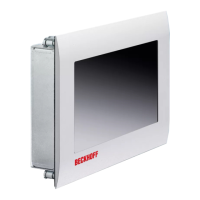
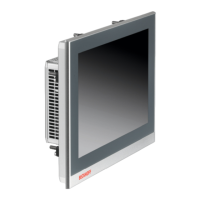
The front of the Panel can be cleaned with a soft, damp cleaning cloth. Do
not use any aggressive cleaning materials, thinners, scouring material or
hard objects that could cause scratches.
Servicing
The build-in Panel PC requires no maintenance.
Do not open the housing of the build-in Panel PC
Note
For technical support contact Beckhoff Service.
Replacing the battery on the motherboard
A used battery on the motherboard has to be replaced. See also chapter
Access to the drives and the battery.
Danger of Explosion!
WARNING
Replace battery only with the identical type or an alternative type
recommended by the manufacturer. Notice correct polarity!
The used battery must be disposed of in accordance with national
electronics scrap regulations.
Emergency procedures
In case of fire, the Industrial PC should be extinguished with powder or
nitrogen.
Shutting down
Disposal
Dismantle the Industrial PC
Observe national
electronics scrap
regulations
The device must be fully dismantled in order to dispose of it. The housing
can be sent for metal recycling.
Electronic parts such as lamps and circuit boards must be disposed of in
accordance with national electronics scrap regulations.
CP62xx 21


 To Next Page