SYNCHRONIZING TWO BASES
If simultaneous operation of two foundations is desired, please read paring remotes instructions on page 11.
STEP 1
STEP 4
STEP 2
STEP 3
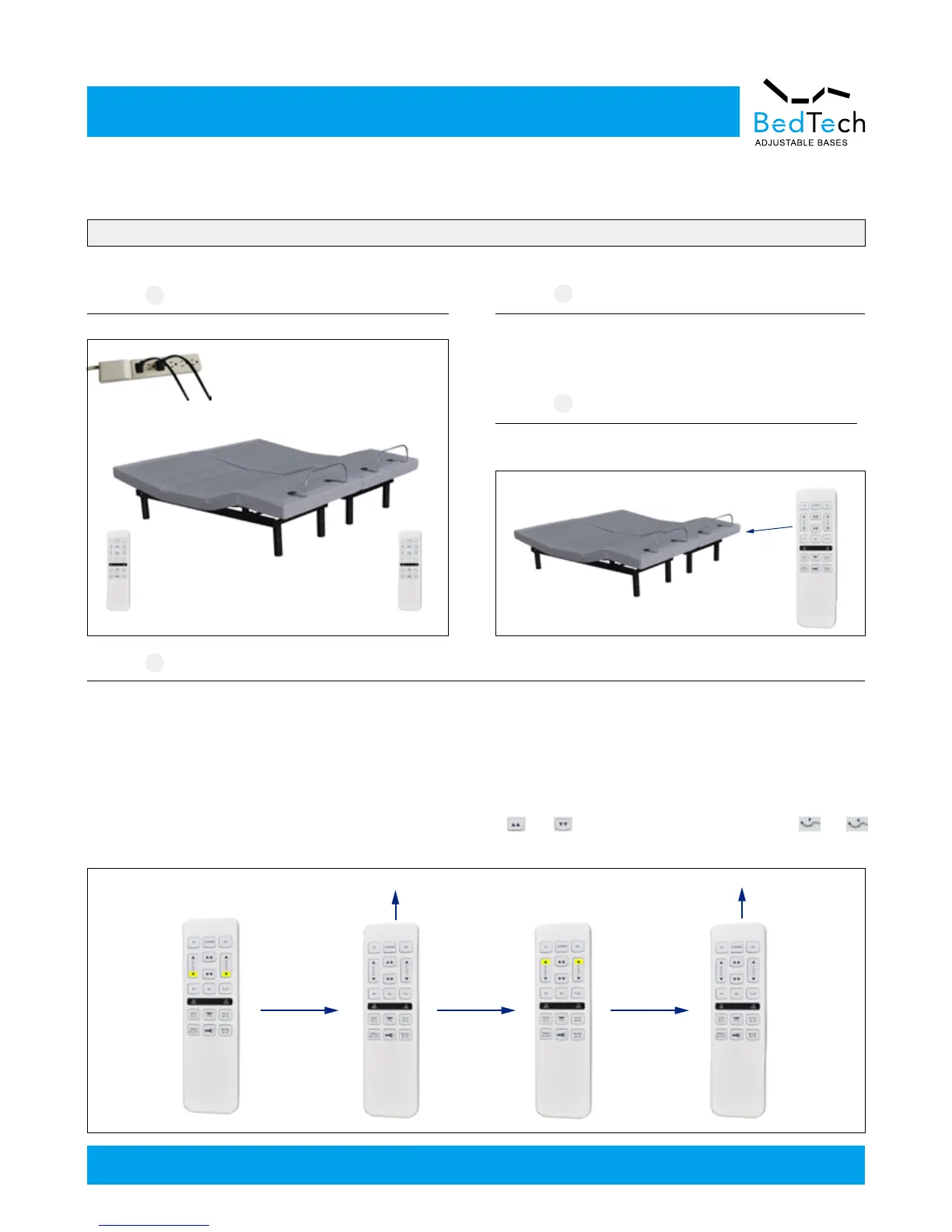
Plug A and B bases to power source.
Pair remote A to Base B, then base A and base B can be
simultaneous operated by Remote A.
Make sure remote A was already paired to Base A and Remote B
was paired to Base B. If not, please paring them by following the
pairing remote instructions on page 11.
Synchronizing Two Bases
Remote A
Remote B
Base B
Base A
Base B
Base A
P
a
irin
g
Remote A
Set Remote B operate both bases too.
For BT1000 (one motor bed)/BT2000, only one remote can control both bases.
Note: If you want to operate the beds separately, only need to use another remote to be paired to one of the beds.
For BT3000/BT4000, please follow the instuctions below.
Press and hold head down and foot down buttons on remote B, The ash light will be on for 10 seconds. Meanwhile press and hold head up
and foot up buttons on Remote A, the learning process is successful when the ashlight on remote B starts to ash. Now both remotes will
be able to operate both beds simultaneously.
Note: If you want to operate the beds separately, for BT3000, press and hold and on remote B, for BT4000, press and hold and
on remoteB, then the ash light will be on, and the remote B has been separated from the remote A.
Remote B
Light on
Remote B
Remote A
Light Flashing
Remote B
—12—
Customer Service: 1-855-430-8943



 To Next Page