M8
User Manual
9
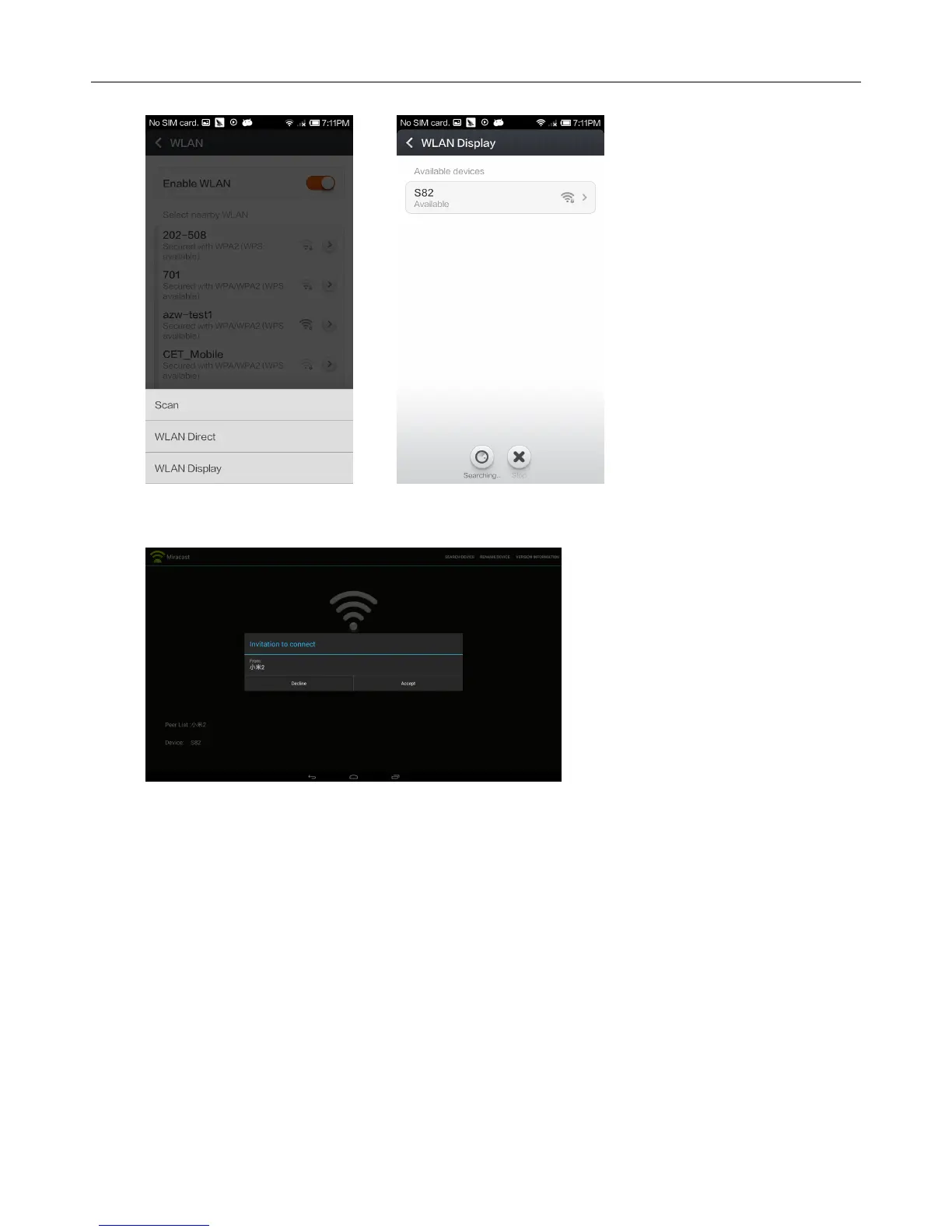
searched (MXⅢ), click invite
Corresponding device will be listed when MXⅢ begin to search, a pop-up invite window
appears, click “accept”
Complete connection, MXⅢ will display other device’s images
2.2.3 DLNA
Ensure other devices like Iphone, Android smart phone, etc have opened iMediaShare *,
Ensure them in the same local wireless LAN with MXⅢ
Operations on MXⅢ
Home ScreenMy recommendMedia CenterDLNA DMRStart DMRON


 To Next Page