M8
User Manual
8
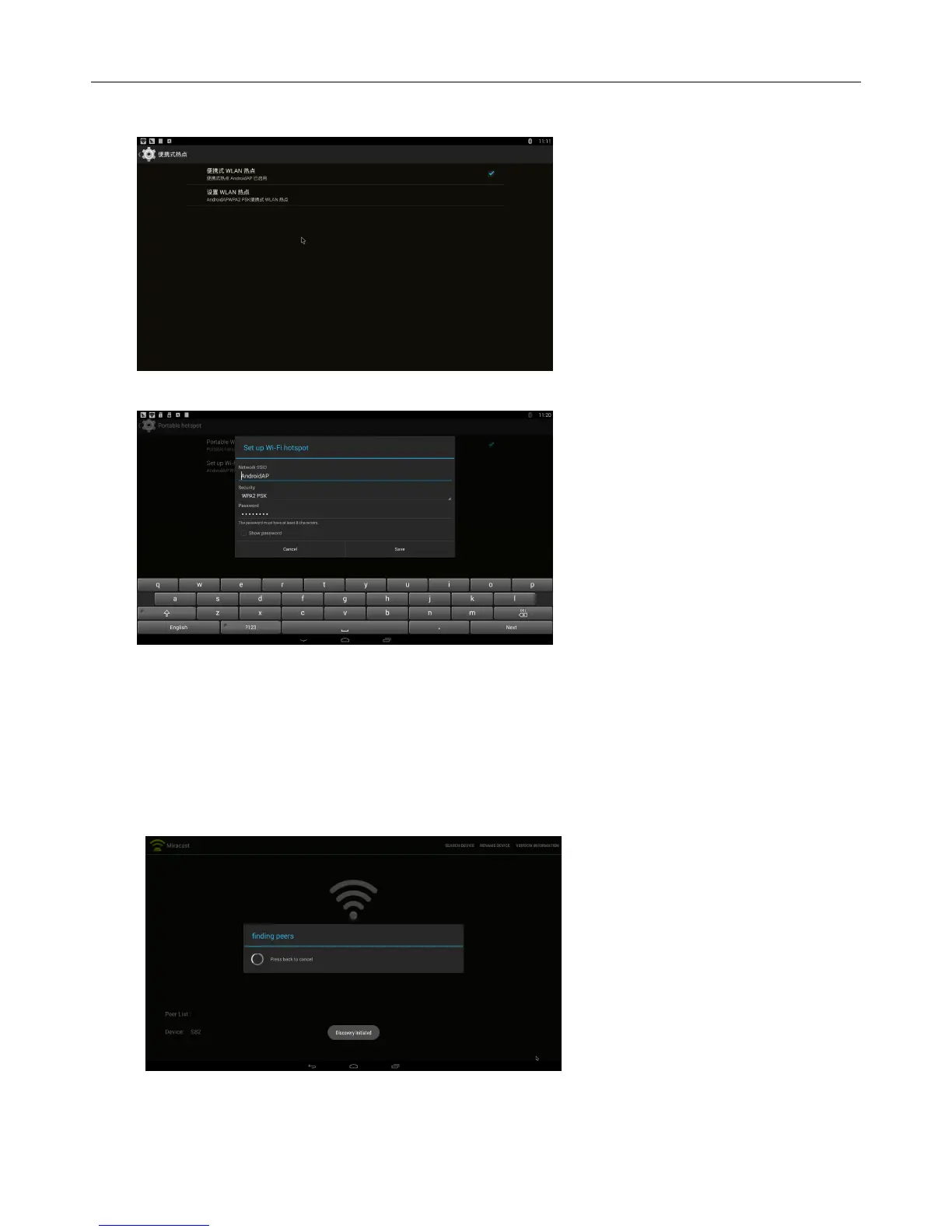
Home Screen SETTINGS OtherMore SettingMore…Portable hotspot Select
“Portable Wi-Fi hotspot”
Select “Set up Wi-Fi hotspot” to set up “Network SSID”、“Security”、“Password” parameters
* Ensure connected to the wired network, MXⅢ can be used as wireless AP to support more
wireless devices access in the family
2.2.2 Miracast
Operations on MXⅢ
Home Screen My recommendMiracast Open Miracast service
Operations on other devices (for example MIUI 2)
Home Screen
Settings WLAN Press menu WLAN Display Find the devices


 To Next Page