CHAPTER 1: Introduction
Getting to Know Your Device
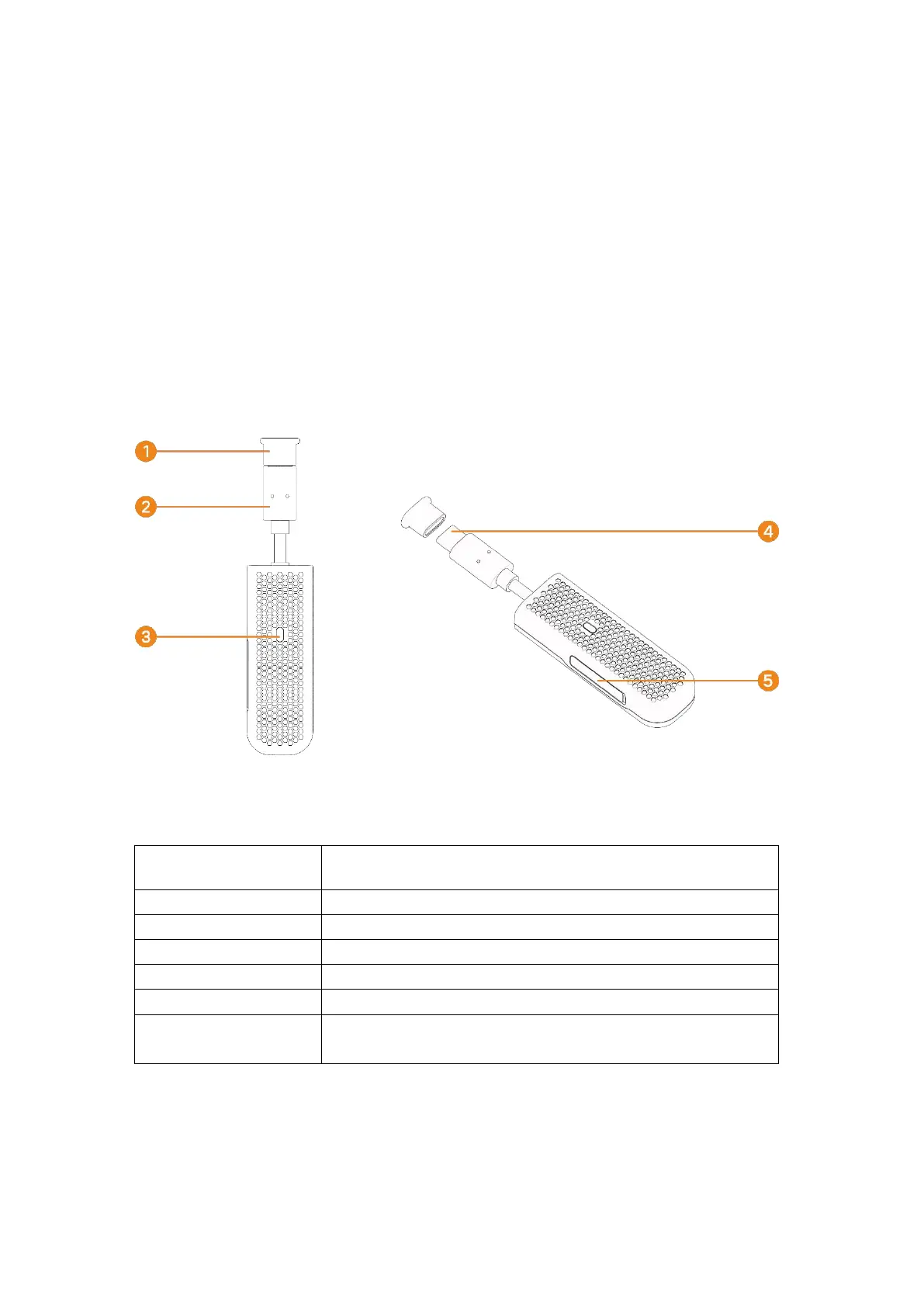
The following figure is only for your reference. The actual product may be different.
1. Type-C protection cover
2. USB cable
3. LED Indicator light
4. Type-C connector
5. SIM cover
Registered to 4G network without data connection
Registered to 4G network with data connection
Registered to 3G network without data connection
Registered to 3G network with data connection
Not registered to any network or SIM card wrong
Blinking Blue and
Red alternately
Installing SIM Card
Follow the instructions below to install the SIM card:



 To Next Page