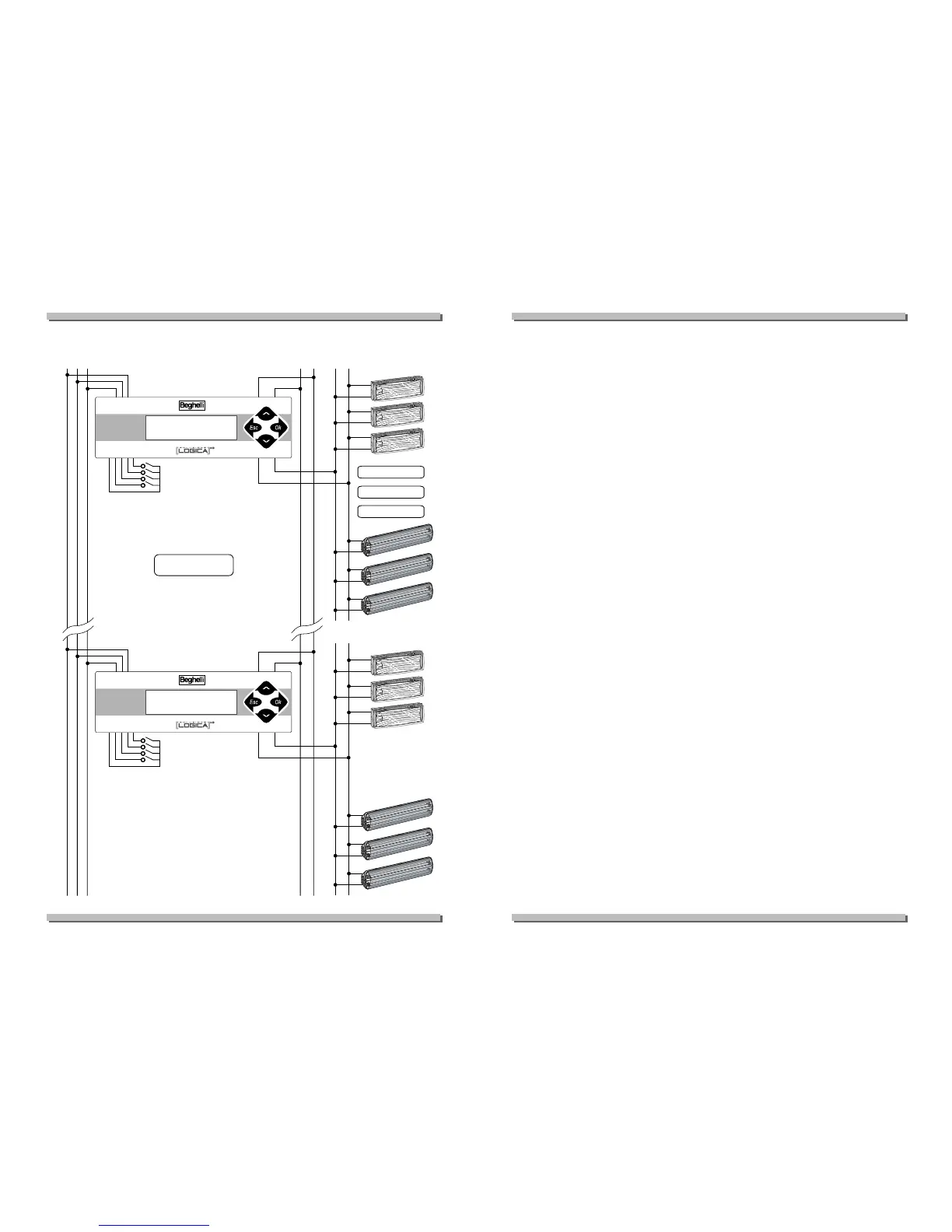
WIRING DIAGRAM
WIRING DIAGRAM
GROUPS AND SCENES
GROUPS AND SCENES
All the appliances programmed can be associated to 16 groups; each devi-
ce may pertain to one or more groups or none at all. These groups can ena-
ble specific operations on subsets of the system.
A scene is a preset coordinated lighting combination that involves several
appliances.
By giving the system the order to go to scene "xx" (from 1 to 16), each ligh-
ting appliance goes to a particular internally stored brightness condition.
Given that this value is independent for each lighting appliance, preset ligh-
ting situations can be created and performed simultaneously, thus combining
in a single command many lighting settings for different appliances.
For each scene it is possible to decide that the appliance will switch on,
switch off, go to a given brightness percentage, or do nothing at all, ignoring
the order and remaining in the current state of brightness.
MENU
MENU
All control unit functions can be accessed from menus: a first level enables
a general overview of the system, activates lights or preset lighting scenes;
in a second level it is possible to set, programme and modify the system and
settings.
The second level is password-protected (the installer will modify it at his
discretion in order to protect the settings programmed).
The menus can be scrolled "vertically" using the arrows
DD
and
CC
; by pres-
sing
B
one selects the item currently displayed; by pressing
A
one moves
up a level. The display back-light is activated when any key is pressed.
To generate a manual test proceed as follows:
• select the "manual test" menu;
• select the appliance or group of appliances or even the entire system on
which the operation is to be performed;
• select the operation to be performed, for instance "functional test";
• press
B
; the operation will now be performed and the control unit is
ready to receive new commands.
5



 To Next Page