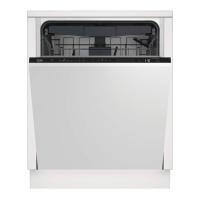
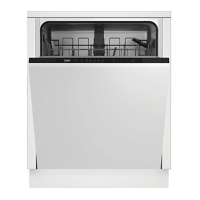
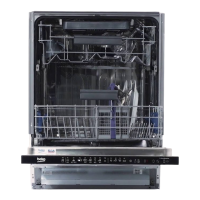
This document is a user manual for a Beko Dishwasher, model DIN48430. It provides comprehensive information on safety, installation, operation, maintenance, and troubleshooting.
Function Description:
The Beko Dishwasher is designed for domestic use, specifically for washing household dishes. It incorporates various features to ensure efficient cleaning, rinsing, and drying, while also aiming for energy and water savings. The dishwasher is equipped with a water softening system to manage incoming water hardness, an automatic liquid/gel detergent dosing system, and a fan drying system for enhanced drying performance. Depending on the model, it may also include an automatic door opening feature, filter cleaning function, IonGuard function, and interior lighting.
Important Technical Specifications:
- Power Input: 220-240 V, 50 Hz (as per rating label)
- Total Power Consumption: 1800-2100 W (as per rating label)
- Heater Power Consumption: 1800 W (as per rating label)
- Total Current: 10 A (depends on model, as per rating label)
- Drain Pump Power Consumption: 30 W (as per rating label)
- Water Pressure: 0.3 - 10 bar (3 – 100 N/cm² = 0.01-1.0 Mpa)
- Permitted Water Temperature: Up to 25°C
- Compliance: EU WEEE Directive (2012/19/EU), RoHS Directive (2011/65/EU), 2014/35/EU, 2014/30/EU, 93/68/EC, IEC 60436/DIN 44990, EN 50242.
- Service Life: 10 years (original spare parts available during this period).
Usage Features:
Programme Selection and Operation:
The dishwasher offers various washing programmes, including Auto, AquaFlex, Intensive, Eco, GlassCare, Quick&Shine, Mini, and Prewash. Each programme is tailored for different soiling degrees and dish types, with varying temperatures, durations, and water/energy consumption.
- On/Off Key: Powers the machine on or off.
- Programme Selection / Programme Cancel Key: Used to select a desired programme. To cancel a running programme, press and hold this key for 3 seconds; the machine will drain water and give an audible warning upon completion.
- Function Keys: Allow selection of auxiliary functions like TrayWash, Fast+, SteamGloss, and Half Load. An affirmative key signal confirms selection, and the function indicator lights up.
- Preparing the Machine: Before starting, ensure the door is open, dishes are placed correctly, impellers rotate freely, and adequate detergent is added.
- Starting the Programme: Close the door after selecting the programme and auxiliary functions.
Auxiliary Functions:
- TrayWash Function: For intensive cleaning of trays, available with the Intensive 70°C programme.
- Fast+ Function: Shortens the washing cycle time and reduces water consumption by enabling washing under higher pressure.
- SteamGloss Function: Provides superior drying performance.
- Half Load Function: Allows operation with a partial load, saving water and power.
- Floor Illumination (depends on model): Projects a light onto the floor during washing, turning off when the cycle is complete. This is an automatic, non-cancellable feature.
Accessible by pressing and holding the Menu key for 3 seconds.
- EverClean Function Off/On: (Specific function details not provided in excerpt).
- IonGuard Function Off/On: (Specific function details not provided in excerpt).
- Doormatic Function Off/On: (Specific function details not provided in excerpt).
- Liquid Dosing Function Off/On: Activates or deactivates the automatic liquid/gel detergent dosing system.
- Detergent Tablet Function Off/On: Optimizes drying performance when using multi-purpose tablet detergents.
- Liquid Dosing Function Detergent Use Setting: Allows adjustment of liquid/gel detergent amount (Levels 1-5, from 10cc lower to 10cc higher than default).
- Changing Warning Sound Volume: Adjusts the volume of audible warnings (S:0 off, S:1 medium, S:2 high).
- Changing Interior Lighting Setting: Turns interior lighting on (L:1) or off (L:0).
Detergent and Rinse Aid:
- Detergent Types: Supports powder, tablet, and liquid/gel detergents. Only dishwasher-specific detergents should be used. Chlorine and phosphate-containing detergents are not recommended.
- Automatic Liquid/Gel Detergent Dosing System: Automatically adjusts detergent and rinse aid amounts. Indicators on the panel show detergent and rinse aid levels.
- Adding Salt: Use special softening salts. The salt reservoir should be filled with 1 litre of water initially, then with salt. The salt indicator will illuminate when refilling is needed.
- Adjusting Rinse Aid: The amount of rinse aid dispensed can be adjusted via the settings menu (P:0 to P:4). The rinse aid indicator illuminates when refilling is needed.
Loading Dishes:
- General Guidelines: Wipe off coarse food remnants. Place thin, narrow pieces in middle sections. Heavily soiled items go in the lower basket, smaller/delicate items in the upper. Hollowed dishes should be placed upside down. Sharp items (knives, forks) should face downwards or lie horizontally.
- Cutlery Basket (depends on model): Movable for flexible loading.
- Collapsible Lower Basket Tines (depends on model): Foldable tines for accommodating large items like pans and bowls.
- Tray Wash Supports (depends on model): For washing trays in the bottom basket.
- SoftTouch Accessory (depends on model): In the lower basket for safe washing of fragile glasses.
- Lower Basket Glass Holder (depends on model): For oversized and tall glasses.
- Lower Basket Multipurpose / Height Adjustable Service Rack (depends on model): For extra glasses, long ladles, and bread knives. Can be moved up/down or closed.
- Upper Basket Height Adjustable Rack (depends on model): Allows adjusting the upper basket height (three positions: lower, middle, upper) to create space for different dish sizes.
- Collapsible Upper Basket Wires (depends on model): Foldable wires for larger dishes.
- Height Setting with Empty Basket (depends on model): Wheels on the upper basket allow height adjustment.
- Ceiling Cutlery Basket (depends on model): For forks, spoons, etc., placed between bars. Some models have a partial movement feature for the central tray to accommodate taller items.
Warnings and Indicators:
- Salt Indicator (S): Lights up when salt needs refilling.
- Rinse Aid Indicator (*): Lights up when rinse aid needs refilling.
- Water Cut-off Warning (E:02): Flashes if mains water is cut off or the inlet tap is closed. The programme pauses until water is restored.
- Overflowing Warning (E:01): Flashes if too much water is detected or there's a leak. The machine will attempt to discharge water. If persistent, contact service.
Maintenance Features:
General Maintenance:
- Unplug the product and turn off the tap before cleaning.
- Do not use abrasive substances.
- Clean filters and impellers at least once a week for efficient operation.
Cleaning the Outer Surface:
- Wipe gently with a mild cleaning material and damp cloth.
- Clean the control panel with a slightly damp cloth.
Cleaning the Interior:
- Run a programme with or without detergent based on soil level.
- If water remains, drain it by cancelling a programme. If drainage fails, check and clean filters for blockages.
Cleaning the Filters:
- Clean at least once a week.
- Remove the micro filter (1) and coarse filter (2) assembly by turning counter-clockwise.
- Pull out the metal/plastic filter (3).
- Separate the coarse filter from the assembly by pressing its two pawls inwards.
- Clean all three filters under tap water with a brush.
- Reassemble and ensure the coarse filter clicks into place.
- Do not operate the dishwasher without filters. Incorrect placement reduces washing efficiency.
Cleaning the Hose Filter (depends on model):
- Check regularly to prevent damage from impurities in water.
- Turn off the tap and remove the hose.
- Remove the filter, clean it under running tap water.
- Place the cleaned filter back into the hose and reinstall the hose to the tap.
Cleaning the Impellers:
- Clean regularly for efficient operation.
- Upper Impeller: Check for clogged holes. Remove by turning its nut to the left, clean, and re-install, ensuring the nut is tightened.
- Lower Impeller: Check for clogged holes. Remove by holding points (C) and pulling up. Clean and re-install in reverse order.
- Do not rotate impellers by holding their ends, as this may damage the gear system.
Troubleshooting:
The manual provides a comprehensive troubleshooting guide for common issues such as:
- Machine not starting (power, fuse, water supply, door, on/off button).
- Dishes not washed clean (loading, programme selection, impellers clogged/stuck, filters, overloading, detergent quality/storage/amount, rinse aid amount, detergent dispenser lid).
- Dishes not dry (loading, rinse aid, unloading procedure, programme selection, surface quality of utensils, Teflon utensils).
- Tea, coffee, or lipstick stains (programme selection, surface quality of utensils, detergent storage).
- Lime traces or misty appearance on glassware (rinse aid, water hardness, salt leakage).
- Different odour in the machine (new machine odour, clogged filters, dirty dishes left for long, commercial odour removers).
- Rust, discoloration, or surface deterioration on dishes (salt leakage, salty food remnants, electrical grounding, intensive cleansers, metal items used improperly, low-quality stainless steel, already corroded items).
- Detergent remains in dispenser (damp dispenser, detergent added too early, dispenser lid blocked, detergent storage, clogged impeller holes).
- Decorations/ornaments being erased (unsuitable glassware/porcelain).
- Dishes scratched (unsuitable aluminium utensils, salt leakage, water hardness, improper loading).
For persistent problems, users are advised to consult their dealer or an Authorised Service Agent and never attempt to repair the product themselves.

 Need help?
 General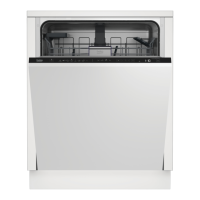

 To Next Page