EasyManua.ls Logo

bela GLISS - User Manual

bela GLISS
57 pages
Print Icon
To Next Page IconTo Next Page
Loading...
User Manual
A touch controller for
modular synth
GLISS
Firmware v2
Question and Answer IconNeed help?

Do you have a question about the bela GLISS and is the answer not in the manual?

Overview

The GLISS is a touch controller designed for modular synthesizers, offering a unique blend of gestural control and precise voltage generation. It aims to bridge the gap between physical interaction and the abstract world of electronic instruments, providing a powerful tool for generating and managing control voltages (CVs) in a modular system.

Function Description:

GLISS allows users to generate and manipulate CV and GATE signals in real-time through touch. It features a large capacitive Touch Strip that senses finger position with sub-millimeter accuracy and also detects touch size, which is analogous to pressure sensitivity. The device offers four distinct Performance Modes:

  • CONTROL Mode: Generates CV and GATE signals based on finger position and touch size. Users can choose from various input types like Single Slider (position and touch size), Dual Slider (two independent position sliders), Dual Touch (two touch-sensitive pads for touch size), and Slider + Touch (a position slider and a touch-sensitive pad). Latching options allow values to be held after a touch ends, or to drop to 0V. Custom slew rates for attack and release can be set for each output, enabling the creation of custom envelopes without an external ADSR module.
  • RECORD Mode: Records custom gestures of up to 150 seconds in length. These recorded gestures can be played back in multiple ways:
    • Loop: Plays back the recorded gesture indefinitely at the recorded speed. Discrete gestures with pauses and jumps between values can be recorded.
    • Trigger: Plays back the gesture once when an external trigger signal (minimum 2V) is received or the Button is pressed. This is ideal for creating custom envelopes with marked Attack and Release sections.
    • Clock: Records gestures against an incoming clock signal, allowing dynamic speed variation. The recording is quantised to clock ticks.
    • Wavetable: Plays back the recorded gesture at a rate corresponding to an incoming V/oct input, effectively turning GLISS into a voltage-controlled wavetable oscillator. The gesture becomes the waveform. Editing controls allow trimming start and end points of the gesture.
    • Waveshaper: Scrubs through a recorded gesture using an input voltage. The input voltage range is mapped to the gesture length, allowing different parts of the gesture to be played back based on the input signal. Editing controls allow trimming start and end points of the gesture.
  • SIGNAL Mode: Visualizes and manipulates incoming signals. It can clip, scale, offset, and smooth CV or audio inputs. Users can select between Control Voltage (DC coupling) or Audio Signal (AC coupling) input. Output types include the processed signal/inverted signal, or an envelope detector/inverted envelope detector. Envelope decay can be adjusted for smoothing.
  • NOTES Mode: Transforms the Touch Strip into a set of 5 tunable notes. These can be played as an expressive keyboard with glissando and vibrato, or as a step sequencer triggered by an incoming clock signal. Notes are individually configurable for pitch, and the sequencer allows for custom step behaviors (Active, Hold, Mute, Skip) and glide between steps.

Important Technical Specifications:

  • Width: 4 HP
  • Depth: 27mm
  • Power Consumption: +12V: 150mA, -12V: 30mA
  • Voltage Rating: Input and Outputs are ±10V safe.
  • Usable Range: Input and Outputs: -5V to +10V.
  • Trigger Threshold: 2V.
  • Outputs: 2 mono 3.5mm jack outputs (Top Output/Output 1 and Bottom Output/Output 2). Each output's full voltage range is individually configurable per Mode.
  • Input: 1 mono 3.5mm jack input for clock signals, triggers, and control voltage signals.
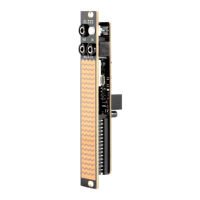
  • Touch Strip: Large capacitive touch surface with 23 LEDs for visual feedback.
  • Button: Physical button with green, red, and yellow illumination, used for navigation and various mode-specific functions.

Usage Features:

  • Menu System: Central to GLISS, allowing users to step between Performance Modes, customize mode settings, and set voltage ranges.
  • Global Settings: Accessible from any active mode, these settings control module-wide behaviors such as touch sensitivity, LED brightness, menu animations, and module orientation.
  • Voltage Range Customization: Input and Output voltage ranges are customizable for each Performance Mode, with presets (0V to +10V, -5V to +5V, 0V to +5V, -1V to +1V) and manual setting options. A color-coded interface aids in setting precise voltage levels.
  • Module Orientation: GLISS is available in 4HP and 1U formats. The 4HP version includes two faceplates (jacks at top or bottom), and the 1U version has outputs side-by-side. The module orientation can be reconfigured in Global Settings to match the chosen faceplate, automatically reorienting menus and controls.
  • Expressive Control (NOTES Mode): When played as a keyboard, notes offer vibrato (adjustable depth) by wiggling a finger, and glissando by sliding between notes.
  • Visual Feedback: The Touch Strip's LEDs provide clear feedback, visualizing finger gestures, external modulation sources, and voltage levels. The Button's illumination also indicates various states and functions.

Maintenance Features:

  • Firmware Updates: GLISS Firmware v2 (released October 2024) introduces new features and improvements. Existing GLISS owners can upgrade for free via a web-based flashing process (requires Chrome browser and WebMIDI).
  • Calibration Mode: Allows users to recalibrate the module for optimal responsiveness. This process involves evaluating voltage levels, disconnecting cables, and performing calibration with a cable connected between the Top Output and Input. Calibration is essential after a firmware flash.
  • Reset All Menu Settings: Resets all module settings to factory defaults, including calibration. This is initiated by holding the Button and touching the Touch Strip with 5 fingers for 10 seconds, then releasing and touching with 2 fingers.
  • Factory Test Mode: A debugging tool to test all parts of the module (LEDs, capacitive pads, Input/Output calibration, intermittent connections). It can be entered automatically after a settings reset or manually by holding the Button and touching the Touch Strip with 5 fingers.
  • Open Source Hardware: GLISS is open source, with hardware designs, firmware, and software available online (github.com/BelaPlatform/Gliss). This allows users to hack, remix, and extend the module.
  • I2C Port: An experimental I2C port on the underside offers potential for chaining multiple modules, though it is currently unsupported.
  • Warranty: All assembled GLISS modules come with a 3-year warranty covering manufacturing defects. Hacking the device (e.g., adding hardware or editing firmware) voids the warranty.
  • Support: Users can find support and information on the Bela Forum (forum.bela.io) and YouTube channel (youtube.com/BelaPlatform).

bela GLISS Specifications

General IconGeneral
Brandbela
ModelGLISS
CategoryController
LanguageEnglish