A touch controller for
modular synth
The Mode Menu
Brought to you by
The Mode Menu - or Menu - is where you
can customise the Mode you’re in, and
move between Modes.
1. Hold the Button
2. Tap the Touch Strip with 2 ngers
3. Release the Button
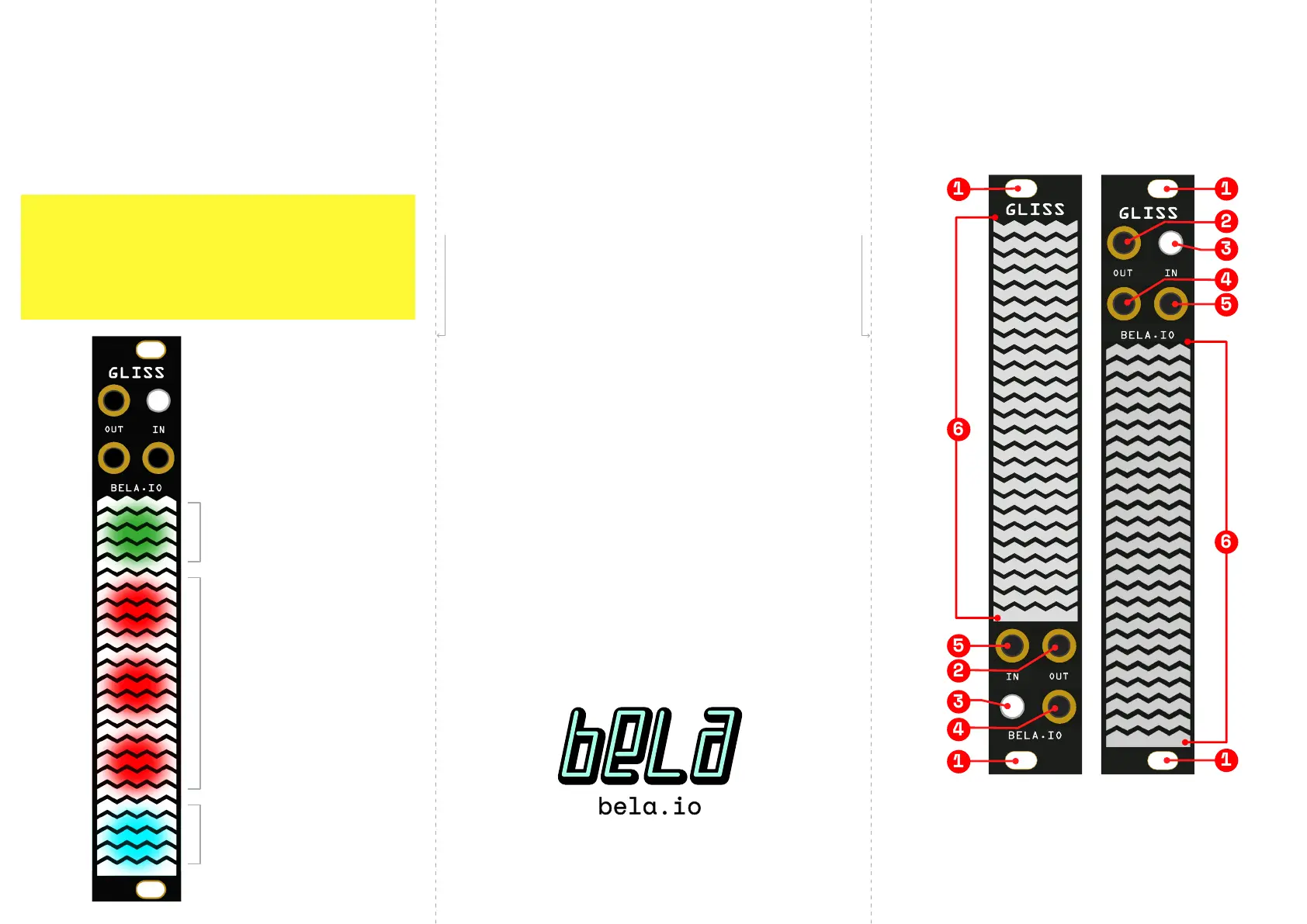
GLISS
MODE SELECTOR
Tap to move to the
next Mode.
SETTINGS
SELECTORS
Up to 3. Each
represents a group of
related seings. Tap to
step through.
VOLTAGE RANGE
Tap to customise the
voltage range of the
Input and Outputs for
the current Mode.
1 Mounting Hole
2 Top Output
3 Buon
4 Boom Output
5 Input
6 Touch Strip
*
bela.io/gliss
FOLD HERE
FOLD HERE


 To Previous Page