
 To Next Page
R
rizvanApr 18, 2026
please soft bf tm8500 vhf

please soft bf tm8500 vhf
Critical warnings for operating the radio in hazardous environments and potential equipment interference.
Guidelines for safe operation, preventing damage, and personal injury.
Guidance on selecting a safe, convenient location for vehicle installation.
Advice on installing an efficient, well-tuned antenna for optimal performance.
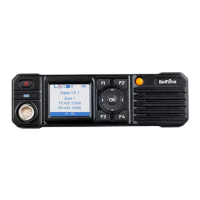
Detailed description of the front panel components and their operations.
Visual guide to understanding various icons displayed on the LCD screen.
Instructions for turning on/off, adjusting volume, and selecting channels/zones.
How to switch between digital and analog compatible channel modes.
Steps for initiating private, group, or all calls in digital and analog modes.
Steps to make a private call, including using address book or manual dial.
How to receive calls and initiate a call back.
Customizing programmable buttons F1-F4, Orange, and side buttons.
Managing contacts for group, private, and all calls, including adding new contacts.
Explains Call Alert, Device Check, Remote Monitor, Device Enable/Disable for contacts.
How to manually input numbers for calls, alerts, or device commands.
Steps to turn the scanning feature on or off.
Managing radio zones and channels within each zone.
Sending text messages, including character limits and input methods.
Covers preset SMS, outbox, and deleting all messages.
Reviewing missed calls, answered calls, and outgoing calls.
Basic settings to tailor the radio's operation to user needs.
Enables communication when repeaters are unavailable; sets TX/RX frequency.
Customizing alert tones and adjusting radio transmission power levels.
Manages backlight, boot screen, keypad lock, LED indicators, and power-on password.
Configuring GPS, Bluetooth, VR, RTC, U Disk mode.
Viewing basic radio information and theme customization.
Describes alarm types and the Alarm mode for sending information.
Transmitting emergency calls, sending alarms, and exiting emergency mode.
Managing emergency alarms on analog channels using signaling.
How to enable, view, and send location data using GPS/BeiDou.
Enabling, viewing, and sending location data via GPS/BeiDou.
Using Bluetooth for PC programming software and audio communication.
Extends communication range beyond a single site using IP site connect system.
Prevents users from occupying a channel for too long by automatically terminating transmission.
Adjusts the squelch threshold for un-muting based on signal strength and noise.
Sets unique codes for communication privacy and access control.
Setup and usage of 2-Tone signaling for calls and alerts.
 General