Installing the Network Drivers
5
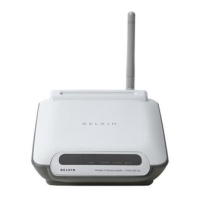
5. Select the CD-ROM drive box. Place the CD-ROM supplied with the
card in your CD-ROM and click the Next Button.
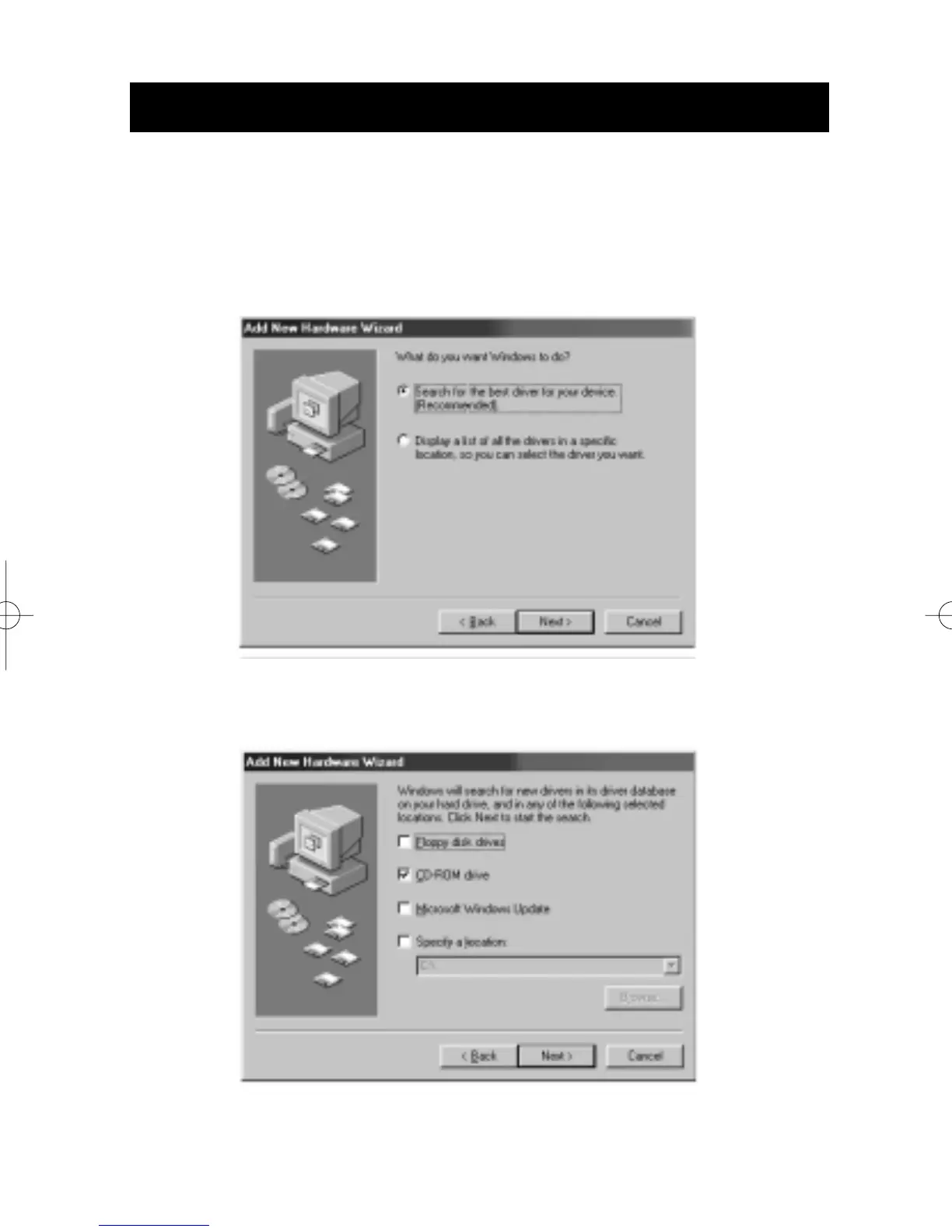
4. When asked, "What do you want Windows to do?" select the first
option- "Search for the best driver for your device.(Recommended)"
and click the Next Button.



 To Next Page