Installing Windows 98/Me
7
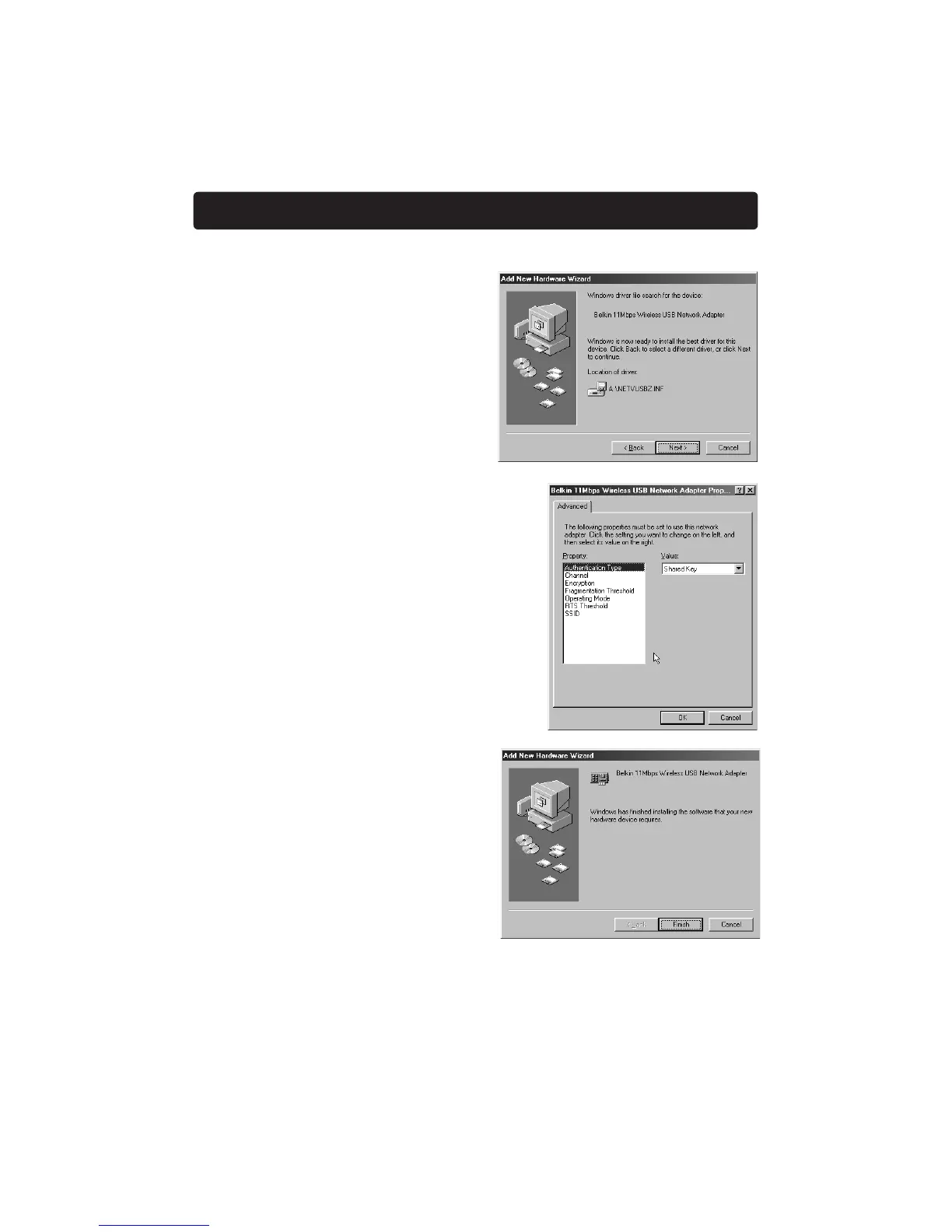
6. Windows will find the
location of the correct driver
files. Click "Next".
7. The following screen will appear.
Click "OK" to continue.
8. The following screen will appear.
Click "Finish". Windows may prompt
you to restart the computer. If so,
restart the computer.
When the computer restarts, your Adapter will be installed. Go to the section
called "Installing the Belkin Wireless USB Adapter Manager" on page 10.


 To Next Page