EasyManua.ls Logo

Belkin F5D7001 - User Manual

Belkin F5D7001
52 pages
Print Icon
To Next Page IconTo Next Page
Loading...
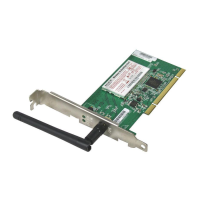
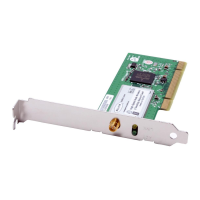
F5D7001
Connect your desktop computer to a
FASTER wireless network
User Manual
High-Speed Mode
Wireless G Desktop
Network Card

Questions and Answers

  • M
    Mary MedinaAug 12, 2025
    What to do if Link LED is solid but Belkin F5D7001 cannot connect to the Internet?
    • T
      Timothy WilsonAug 12, 2025
      If the Link LED is solid but you cannot connect to the Internet, it might be due to a mismatch between the Encryption key settings on your computer and the Wireless Router or Access Point. Check the WEP key settings to ensure they match.
  • S
    smithstephanieAug 16, 2025
    What to do if the name of wireless network does not appear in the list of available networks Belkin F5D7001 Network Card?
    • C
      Connor AtkinsAug 16, 2025
      If the name of your wireless network does not appear in the list of available networks, check the SSID settings to see if they match. If you still do not see the network you are trying to connect to, click 'Add' and type in the SSID.
  • M
    Michael BoyleAug 19, 2025
    What to do if signal strength is poor on Belkin F5D7001 Network Card?
    • A
      Ashley ObrienAug 19, 2025
      Poor signal strength can occur because Wireless Technology is radio-based. If possible, temporarily move the computer five to ten feet from the Wireless Router or Access Point. Also, consider changing the wireless channel due to local wireless traffic and interference.
  • B
    Brent WilsonAug 23, 2025
    What to do if Link LED is blinking slowly and Belkin F5D7001 cannot connect to a wireless network or the Internet?
    • P
      Patrick PerkinsAug 23, 2025
      If the Link LED is blinking slowly and you cannot connect to a wireless network or the Internet, there might be a mismatch between the network name (SSID) settings in your wireless network properties. Check the SSID settings to see if they match.
  • J
    Jeffrey JohnsonAug 27, 2025
    What to do if Belkin Wireless PCI Card is not Detected by Operating System?
    • F
      Fernando ChristianAug 27, 2025
      If the Wireless PCI Card is not recognized by your desktop computer, remove the Wireless PCI card and push the Card firmly into the PCI slot that you have chosen.
  • B
    Barry MedinaAug 31, 2025
    Why is data transfer sometimes slow with Belkin F5D7001?
    • M
      Melissa SmithAug 31, 2025
      Data transfer can be slow because Wireless Technology is radio-based. Temporarily moving the computer, if possible, to five to ten feet from The Wireless Router (or Access Point) may improve the transfer speed.
  • K
    kimberlykellySep 3, 2025
    What to do if Installation CD-ROM does not start Setup Utility for Belkin Network Card?
    • C
      Craig PrestonSep 4, 2025
      If the Installation CD-ROM does not start the Setup Utility, it may be because the computer is running other applications that are interfering with the CD drive. Open up your CD-ROM drive by double-clicking on the 'My Computer' icon and double-click on the icon named 'Setup.exe'.
  • D
    derrick88Sep 7, 2025
    What to do if Power LED does not come ON and Belkin F5D7001 Network Card is not working?
    • T
      Tommy AllenSep 8, 2025
      If the Power LED does not come ON and the Card is not working, verify that the Card is plugged firmly into the PCI slot of your computer. Also, check to see that the drivers for the Card have been installed.

Belkin F5D7001 Specifications

General IconGeneral
Device TypeWireless Network Adapter
ModelF5D7001
InterfacePCI
Data Link ProtocolIEEE 802.11b
Data Transfer Rate11 Mbps
Maximum Data Rate11 Mbps
Frequency Band2.4 GHz
Antenna TypeInternal
SecurityWEP, WPA, WPA2
Form FactorPCI
Wireless Standard802.11b
CompatibilityPC

Related product manuals