1
section
Introduction
9
2
3
4
5
6
7
8
10
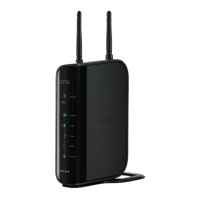
Thank you for purchasing the Belkin N1 Vision wireless router (the N1
Vision). Following are two short sections—the first discusses the benefits
of home networking, and the other outlines best practices that maximize
your wireless home network range and performance. Please be sure to
read through this User Manual completely, and pay special attention to
the section entitled “Placement of your N1 Wireless N1 Vision” on the next
page. By following our simple setup instructions you will be able to use
your Belkin Home Network to:
• Shareonehigh-speedInternetconnectionwithallthecomputersin
your home
• Share
resources,suchasfilesandharddrivesamongallthe
connected computers in your home
• Shareasingleprinterwiththeentirefamily
• Sharedocuments,music,video,anddigitalpictures
• Store,
retrieve,andcopyfilesfromonecomputertoanother
• Simultaneouslyplaygamesonline,checkInternetemail,andchat
Advantages of a Wireless Network
Here are some of the advantages of setting up a Belkin
Wireless Network:
•
Mobility – you’ll no longer need a dedicated “computer
room”—now you can work on a networked laptop or desktop
computer anywhere within your wireless range
• Easy installation – Belkin’s Easy Installation Wizard makes
setup simple
•
Flexibility – set up and access printers, computers, and other
networking devices from anywhere in your home
• Easy expansion – the wide range of Belkin networking products let
you expand your network to include devices such as printers and
gaming consoles
•
No cabling required – you can spare the expense and hassle of
retrofitting Ethernet cabling throughout the home or office
• Widespread industry acceptance – choose from a wide range of
interoperable networking products
1





 To Next Page