76
Using the Web-Based Advanced User Interface
Downloading a New Version of Firmware
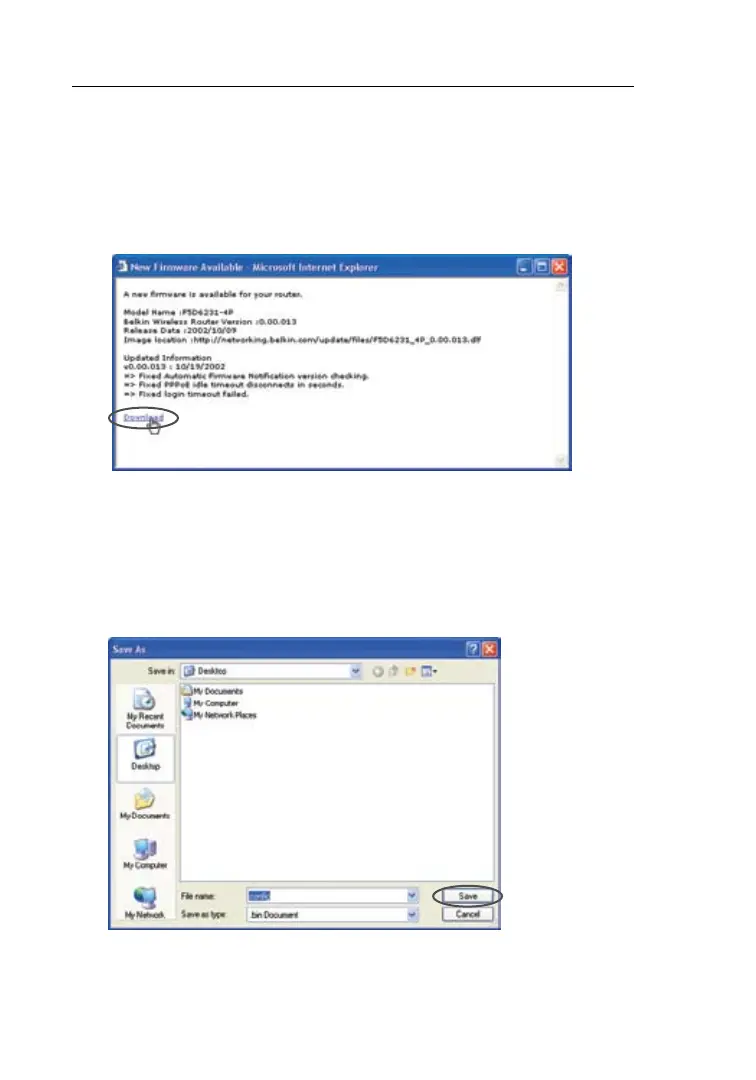
If you click the “Check Firmware” button and a new version of
firmware is available, you will see a screen similar to the one below:
1. To download the new version of firmware, click “Download”.
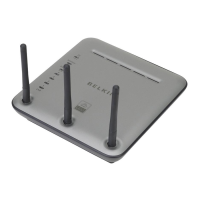
2. A window will open that allows you to select the location where
you want to save the firmware file. Select a location. You can
name the file anything you want, or use the default name. Be sure
to locate the file in a place where you can locate it yourself later.
When you have selected the location, click “Save”.





 To Next Page