5
GETTING STARTED
1. Connect your Router’s ADSL cable to your phone jack or phone-
jack adapter (microfilter). If you are replacing an existing Router
or gateway, this may require unplugging the existing gateway.
Note: If required by your Internet Service Provider (ISP),
plug the included phone-jack adapter (microfilter) into your
wall-mounted phone jack. Please check with your provider
before connecting your Router if you are unsure whether or
not you need to use the included phone-jack adapter.
2. Plug the Router’s power supply into a wall outlet.
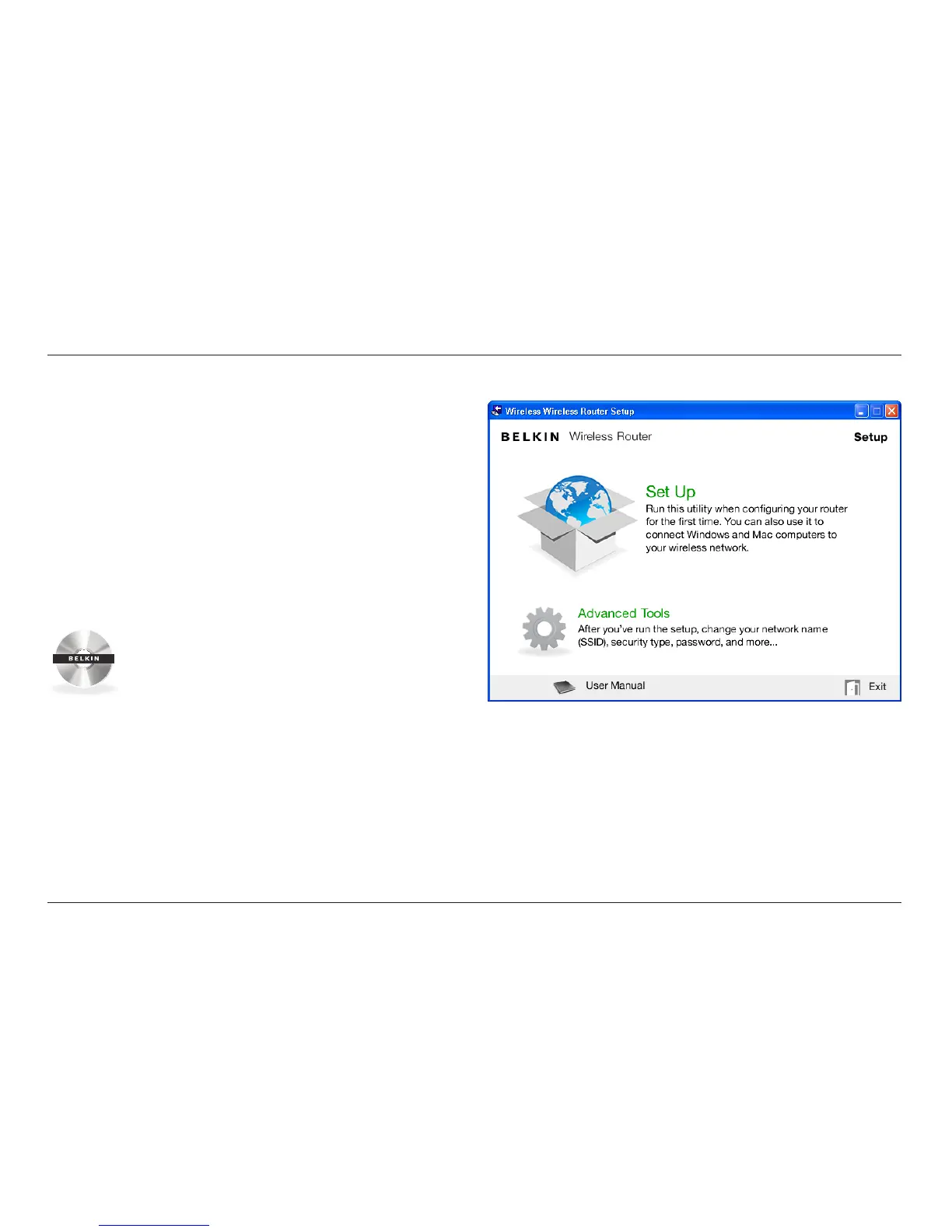
3. Put the CD into your computer. If the CD doesn’t
open automatically, please browse to your CD drive
and double-click on the Belkin Setup CD icon.
4. Click the Setup icon on the CD menu.





 To Next Page