2
HD Bluetooth
®
Music Receiver
Table of Contents SECTIONS 1 3 4 52
SETTING UP YOUR
HD BLUETOOTH
MUSIC RECEIVER
Table of Contents SECTIONS 1 3 4 562
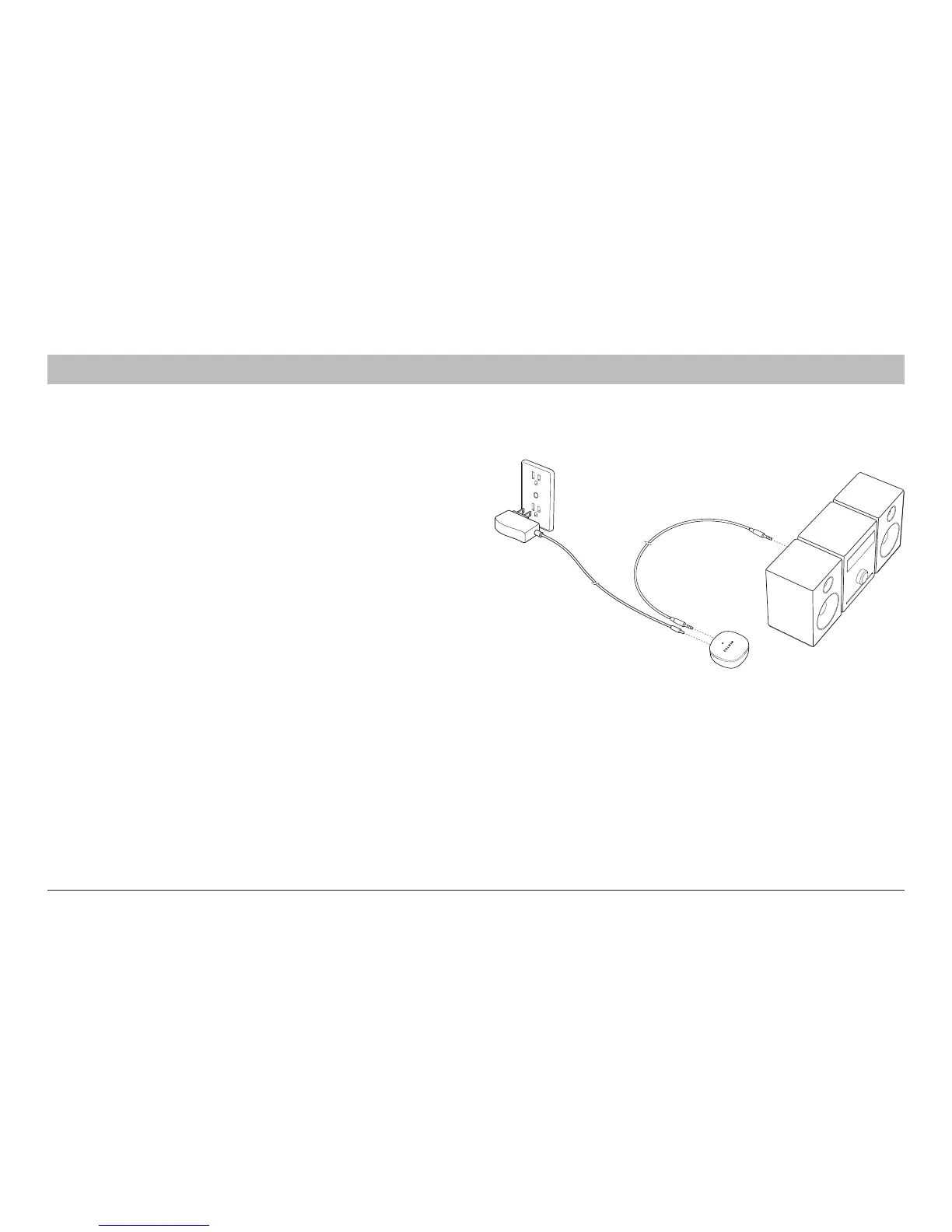
1. Connect the HD
Bluetooth
Music Receiver to
anaudioinputonyourhomemusicsystem.You
caneitherconnectwithastandardconnection
oruseonewithahigherdefinition.
•Standardoptions
i. RCA-style Right/Left connections (a 3.5mm to
RCAcableisincluded)
ii. Directconnectfrom3.5mmtoanauxiliaryinput
(3.5mm“headphone”cablesoldseparately)
•HDoptions
i. Coaxialcable(included)
ii. Opticalcable(soldseparately)
Pleaseconsultyourhomemusicsystem’smanualfor
moreinformationonwhichconnectionsmakesense
withyoursystem.
2. ConnecttheACpoweradaptercabletotheHD
Bluetooth
MusicReceiver’spowerjack,and
plugtheACadapterintoawallpoweroutlet.
3. TheblueLEDlightwillflashoncetoindicate
theunitispoweredandisnowreadytobe
pairedtoyour
Bluetooth
smart device.


 To Next Page