4
HD Bluetooth
®
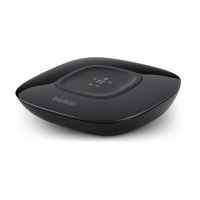
Music Receiver
Table of Contents SECTIONS 1 2 4 53
PAIRING YOUR
HD BLUETOOTH
MUSIC RECEIVER
Reconnecting Your Device
If you move out of range or turn off the
Bluetooth
feature
onyourmobiledevice,theHD
Bluetooth
Music Receiver
willdisconnectfromyourdevice.Toreconnect,simply
access the
Bluetooth
Manager on your device and
selecttheappropriatedevicelisted.
Changing Connected Device
Ifyouwanttoswitchfromonedevicetoanother,follow
thesesteps:
1. Endtheexisting
Bluetooth
connectionwith
the connected device by either disconnecting
withinyour“settings”orturningoff
Bluetooth
.
2. The HD
Bluetooth
MusicReceivercannowbe
connected to a different smart mobile device.
3. Followthedirectionsin“PairingYour
Bluetooth
MusicReceiver”toconnectadifferentdevice.
Out of Range or Lost Signal
Ifthemusicdeviceisoutofrange(beyond30feet)ofthe
Bluetooth
HD Music Receiver or if there is something
blockingthe
Bluetooth
signal,theLEDlightwillturn
off to indicate that the
Bluetooth
connectionwiththe
musicdevicehasbeenlost.Toavoidalostconnection,
movethemusicdevicebackintorange(within30feet),
orreduceobstructionsbetweenthereceiverandyour
smartdevice.Within15seconds,theconnectionwill
automatically be reestablished and the blue LED light
willturnon.Iftheconnectionislostformorethan15
seconds,theconnectionwillneedtobereestablished.
Followthedirectionsin“ReconnectingYourDevice.”


 To Next Page