6
ADAPTER SETUP
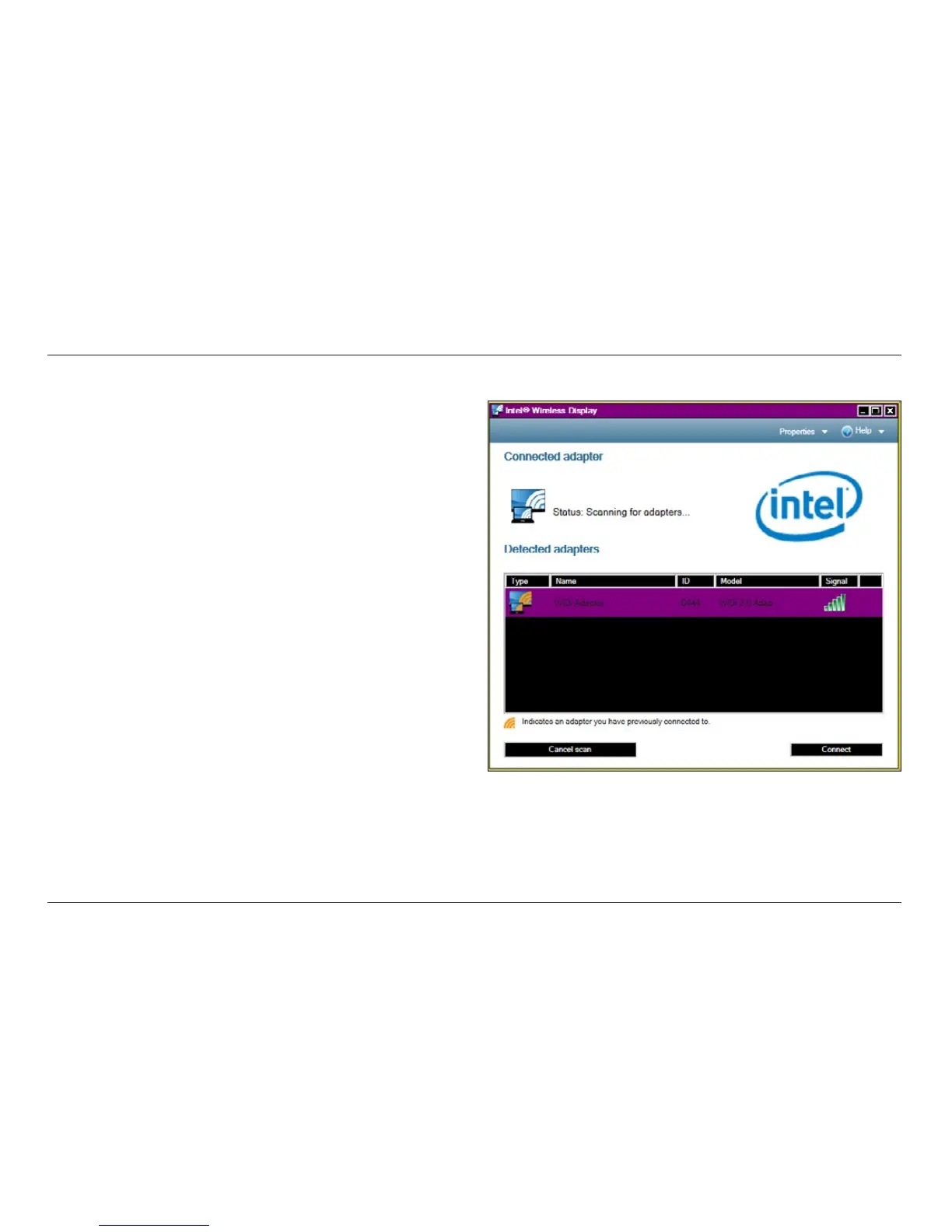
2. On your WiDi laptop, launch the Intel Wireless Display software.
On some laptop PCs, this may be a switch at the top of the
keyboard. Other PCs may require you to start a program from a
shortcut on the desktop or in the system tray. Refer to your PC
manufacturer’s documentation for specific details on your model.







 To Next Page