Receive Calls
When there is an incoming call, the music will automatically pause to allow you to hear the
ringtone of your iPhone.
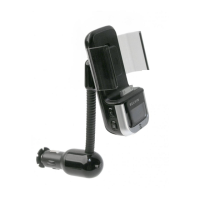
Receive calls through your TuneBase
The TuneBase has a built-in microphone
that lets you talk without a headset. The
caller’s voice will play through your car
stereo speakers.
1. Press the Multifunction button to receive
an incoming call.
2. Press the Multifunction
button again to hang up.
Your music will resume
when the call ends.
Hearing the other party
If you cannot hear the other party through
your car speakers, do the following:
1. While on a call, set the phone volume on
your iPhone to maximum.
2. If necessary, slowly turn up the volume
on your car stereo until you can hear the
caller’s voice.









 To Next Page