EasyManua.ls Logo

Bell'O AVSC4260 - User Manual

Bell'O AVSC4260
10 pages
Print Icon
To Next Page IconTo Next Page
Loading...
AVSC4260
AUDIO/VIDEO TELEVISION SYSTEM
ASSEMBLY INSTRUCTIONS
All manuals and user guides at all-guides.com
all-guides.com
Question and Answer IconNeed help?

Do you have a question about the Bell'O AVSC4260 and is the answer not in the manual?

Summary

Safety Precautions

Parts List

Assembly Instructions

Step 1: Attach Top Shelf Support Bar

Connect the Top Shelf Support Bar (DSYF12) to the Front Wood Frame (DSYF11) using 32mm screws (DSYF2).

Step 2: Attach Bottom Shelf Support Bar

Connect the Bottom Shelf Support Bar (DSYF13) to the Front Wood Frame (DSYF11) using 32mm screws (DSYF2).

Step 3: Slide Glass Bumper Rings

Place Glass Bumper Rings (DSYF4) onto the Middle Shelf Support Bar (DSYF14) and space them evenly.

Step 4: Attach Middle Shelf Support Bar

Connect the Middle Shelf Support Bar (DSYF14) to the Front Wood Frame (DSYF11) using 12mm screws (DSYF1).

Step 5: Attach Right Side Frame

Connect the Right Side Frame (DSYF15) to the Front Wood Frame (DSYF11) using 12mm screws (DSYF1).

Step 6: Attach Left Side Frame

Connect the Left Side Frame (DSYF16) to the Front Wood Frame (DSYF11) using 12mm screws (DSYF1).

Step 7: Attach Rear CMS Panel

Attach the Rear CMS Panel (DSYF17) to side frames (DSYF15, DSYF16) using 32mm screws (DSYF2).

Step 8: Screw Large Glass Pads

Insert Large Adjustable Glass Pads (DSYF5) into the top holes of the side frames (DSYF15, DSYF16).

Step 9: Screw Small Glass Pads

Insert Small Adjustable Glass Pads (DSYF6) into the top holes of the CMS Panel (DSYF17) and support bar (DSYF12).

Step 10: Screw Rear Shelf Support Posts

Screw Rear Shelf Support Posts (DSYF7) into the Rear CMS Panel (DSYF17) using hand tightening.

Step 11: Screw Shelf Support Clips

Screw Shelf Support Clips (DSYF8) into the rear of side frames (DSYF15, DSYF16) with specific screw orientation.

Step 12: Apply Soft Glass Pads

Apply four Soft Glass Pads (DSYF9) evenly spaced on the bottom edge of the Front Wood Frame (DSYF11).

Step 13: Place Bottom Glass Shelf

Place Bottom Glass Shelf (DSYF20) on pads (DSYF9), insert into clips (DSYF8), and tighten screws.

Step 14: Place Middle Glass Shelf

Place Middle Glass Shelf (DSYF19) on bar (DSYF14), insert into clips (DSYF8), and tighten screws.

Step 15: Place Top Glass Shelf

Place Top Glass Shelf (DSYF18) and secure it to side frames (DSYF15, DSYF16) using 35mm screws (DSYF3).

Final Shelf Adjustment and Leveling

Adjust glass pads (DSYF5, DSYF6) to ensure shelves are supported, level, and ready for components.

Overview

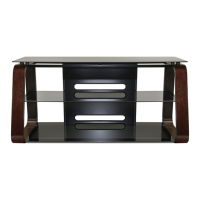
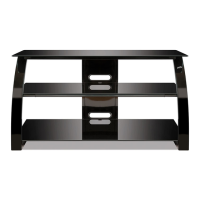
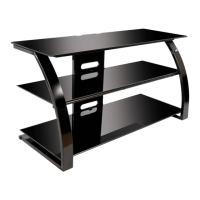
The Bell'O AVSC4260 is an audio/video television system designed to provide a stylish and functional platform for your home entertainment components. This stand is engineered to support various audio/video equipment, including televisions, and features multiple shelves for organized storage.

Function Description:

The primary function of the AVSC4260 is to serve as a stable and aesthetically pleasing stand for televisions and associated audio/video components. It offers a multi-tiered shelving system to accommodate various devices such as cable boxes, DVD/Blu-ray players, gaming consoles, soundbars, and other media accessories. The design aims to integrate seamlessly into modern living spaces, providing both utility and a touch of elegance. The inclusion of a Cable Management System (CMS®) panel helps in organizing and concealing cables, contributing to a cleaner and more organized appearance.

Important Technical Specifications:

  • Maximum Weight Limits:
    • Top Shelf: 125 lbs (56.7 kg)
    • Middle Shelf: 50 lbs (22.7 kg)
    • Bottom Shelf: 75 lbs (34 kg)
  • Construction Materials: The stand features a combination of wood frames and glass shelves. The assembly instructions indicate the use of "Front Wood Frame," "Right Side Frame," "Left Side Frame," and "Rear CMS® Panel," suggesting a robust structural framework. The shelves are made of glass, providing a sleek and modern look.
  • Hardware: The assembly utilizes various screws of different lengths (12 mm, 32 mm, 35 mm), adjustable glass pads (large and small), glass bumper rings, shelf support clips, and shelf support posts. An Allen wrench (DSYF10) is provided for assembly.
  • Dimensions (Implied from parts list and diagrams): While specific overall dimensions are not explicitly stated, the parts list includes components like "Front Wood Frame," "Right Side Frame," "Left Side Frame," and "Rear CMS® Panel," along with three distinct glass shelves ("Top Glass Shelf," "Middle Glass Shelf," "Bottom Glass Shelf"). The diagrams suggest a rectangular footprint with a tiered shelving structure. The stand appears to be designed for medium to large-sized televisions, given the 125 lbs top shelf weight capacity.

Usage Features:

  • Multi-Tiered Storage: The AVSC4260 offers three distinct shelves (top, middle, and bottom) to organize and display audio/video components. This tiered design allows for efficient use of vertical space and helps in separating different types of equipment.
  • Cable Management System (CMS®): A dedicated "Rear CMS® Panel" (DSYF17) is integrated into the design, providing a solution for routing and concealing cables. This feature helps maintain a tidy appearance by minimizing visible wires, which is crucial for a clean entertainment setup.
  • Adjustable Glass Pads: The inclusion of "Large Adjustable Glass Pads" (DSYF5) and "Small Adjustable Glass Pads" (DSYF6) allows for fine-tuning the level and support of the glass shelves. This is important for ensuring stability and preventing wobbling, especially on uneven surfaces. Users are instructed to rotate these pads to properly support and level the shelves.
  • Glass Bumper Rings: "Glass Bumper Rings" (DSYF4) are used on the middle shelf support bar to protect the glass and provide cushioning, enhancing the durability and stability of the shelf.
  • Easy Assembly (with precautions): The manual provides clear, step-by-step assembly instructions with detailed diagrams. While assembly is designed to be straightforward, it is recommended that two people assemble the furniture to prevent damage. An Allen wrench is included, indicating that no specialized tools are required beyond what is provided.

Maintenance Features:

  • Durable Construction: The combination of wood frames and glass shelves suggests a design intended for longevity. The materials are generally easy to clean and maintain.
  • Cleaning: While not explicitly detailed in the provided excerpts, glass shelves typically require regular cleaning with appropriate glass cleaners to maintain their appearance. Wood frames can be wiped down with a damp cloth and mild cleaner.
  • Safety Precautions for Handling: The manual emphasizes several safety precautions that indirectly contribute to the stand's maintenance and longevity:
    • Always remove TV and other equipment before moving the assembled unit to prevent damage to the stand and its contents.
    • Do not move the assembled furniture after glass shelves are installed or with equipment on it, as this can cause shelves to become unsecured and fall.
    • Place the furniture on a flat, solid, and level surface to ensure stability and prevent stress on the structure.
    • Avoid leaning on the TV or stand, climbing on it, or placing excessive weight on the glass shelves, all of which can lead to damage.
    • Proper tightening of screws ("Tighten fully, but be careful not to overtighten") is crucial during assembly to ensure structural integrity and prevent wear over time. This balance prevents stripping screws or cracking materials while ensuring a secure fit.

In summary, the Bell'O AVSC4260 is a robust and elegant audio/video television system designed for organized and secure placement of home entertainment components, with a strong emphasis on stability, cable management, and user safety during both assembly and use.

Bell'O AVSC4260 Specifications

General IconGeneral
BrandBell'O
ModelAVSC4260
CategoryIndoor Furnishing
LanguageEnglish

Related product manuals