13
BluetoothConnectivity(iftted)
State of Connectivity Symbol
• When the connectivity symbol is not present, the appliance cannot be connected to.
• When the connectivity symbol is blinking, the appliance is ready to be paired with a smart device
using the Zeus App.
• When the connectivity symbol is solid, the appliance is connected to a smart device and the timer
can be set using the Zeus app.
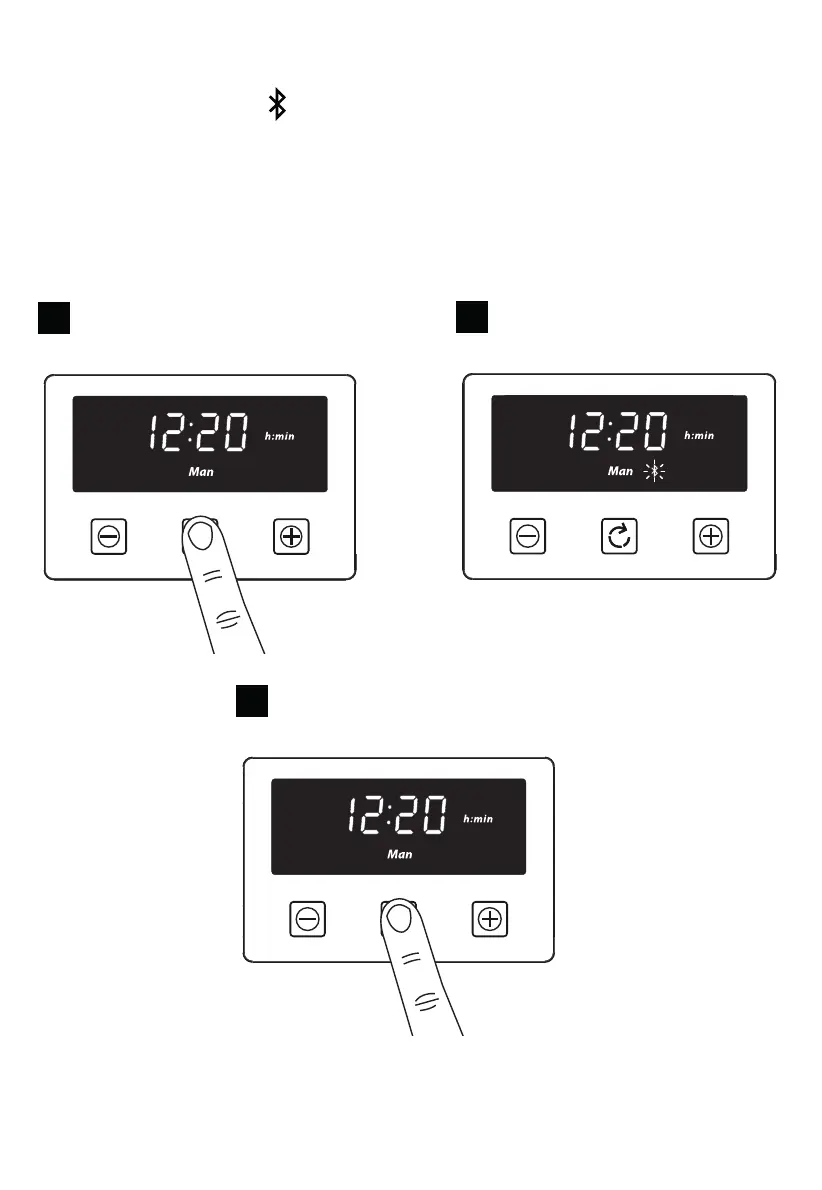
Activating / deactivating the bluetooth connectivity
1
Press and hold the function key for 5 seconds
until a beep is heard
2
The connectivity symbol will start flashing. The
timer is now ready to be connected to a smart
device
3
Press and hold the function key for 5 seconds
to deactivate the bluetooth connectivity function.
The connectivity symbol will disappear.


 To Next Page