13
Using the Timer as a Minute Minder
1. Make sure the hob is turned on. And the heating zone section key is not activated
(zone indication ‘-‘ is not blinking).
Note: You can also set the minute minder whilst the cooking zone is on as long as the
power level indicator is not blinking.
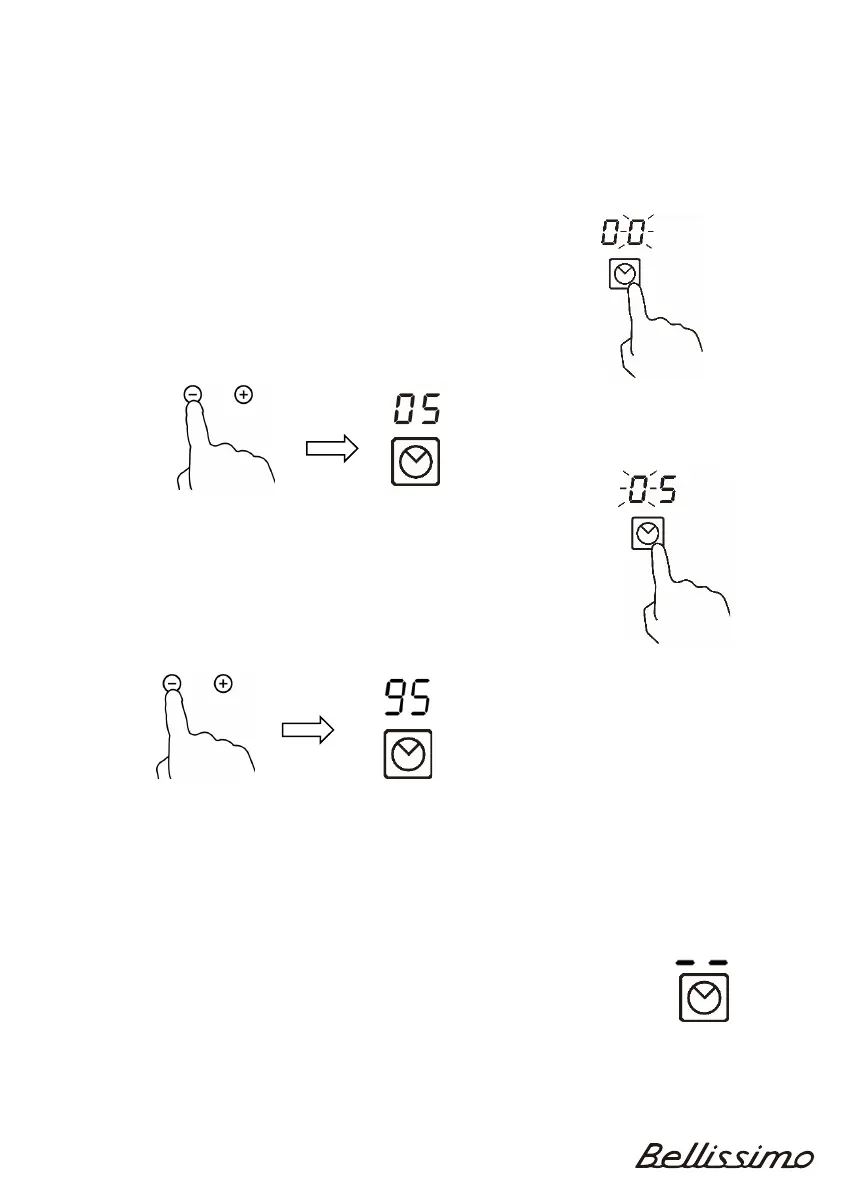
2. Touch timer key, “00” will show in the timer display
and “0” will blink.
3. Set the time by touching“-” or “+” keys (e.g. 5)
4. T
ouch timer key again, then “0” will blink
.
5. Set the time by touching “-” or “+” keys (e.g.9)
6. T
ouch the time key again.
Now the timer is set for 95 minutes
7. W
hen the time is set, it will begin to count down immediately.
The display will show the remaining time.
8. W
hen the time has expired, the timer will sound for 30 seconds
and the timer indicator will show “- - ”



 To Next Page