14
How To Use the Control Panel
OPERATION
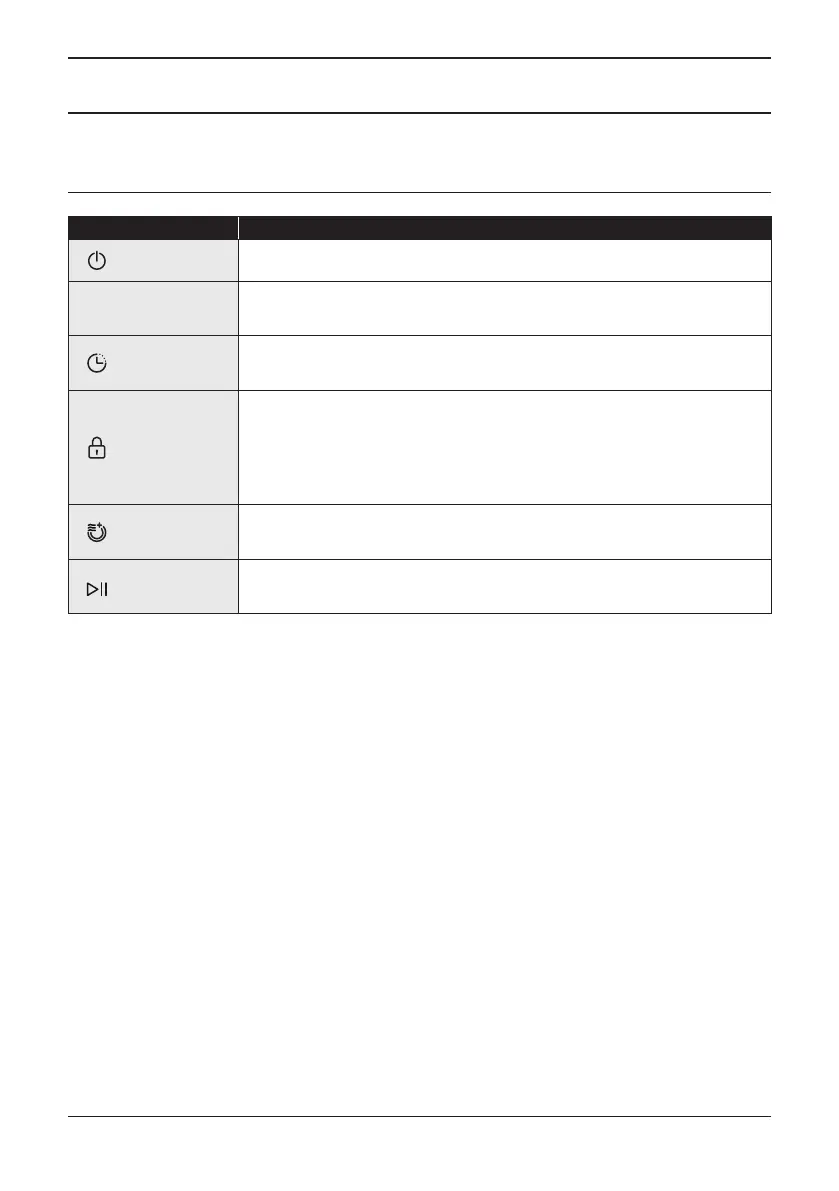
Controls Description
Power Press this button to turn on your dishwasher.
P
Program
Select the appropriate washing program,
the selected program indicator will be lit.
Delay Start
Press the Delay button to increase the delay start time.
Delay a cycle for either 3, 6, 9 hours.
Child Lock
This option allows you to lock the buttons on the control panel - except
the Power button - so children cannot accidentally start the dishwasher
by pressing the buttons on the panel. To lock or unlock the buttons on
the control panel, press and hold the Delay Start button + Extra Dry
button for 3 seconds simultaneously.
Extra Drying
Add to cycle for an improved drying result.
It can be used with Intensive, Heavy, ECO, Glass 90min.
Start / Pause
To start the selected washing program or
pause it when the dishwasher is working.


 To Next Page