5
Lithium-Ion Battery & Power Source
A. BATTERY INSTALLATION
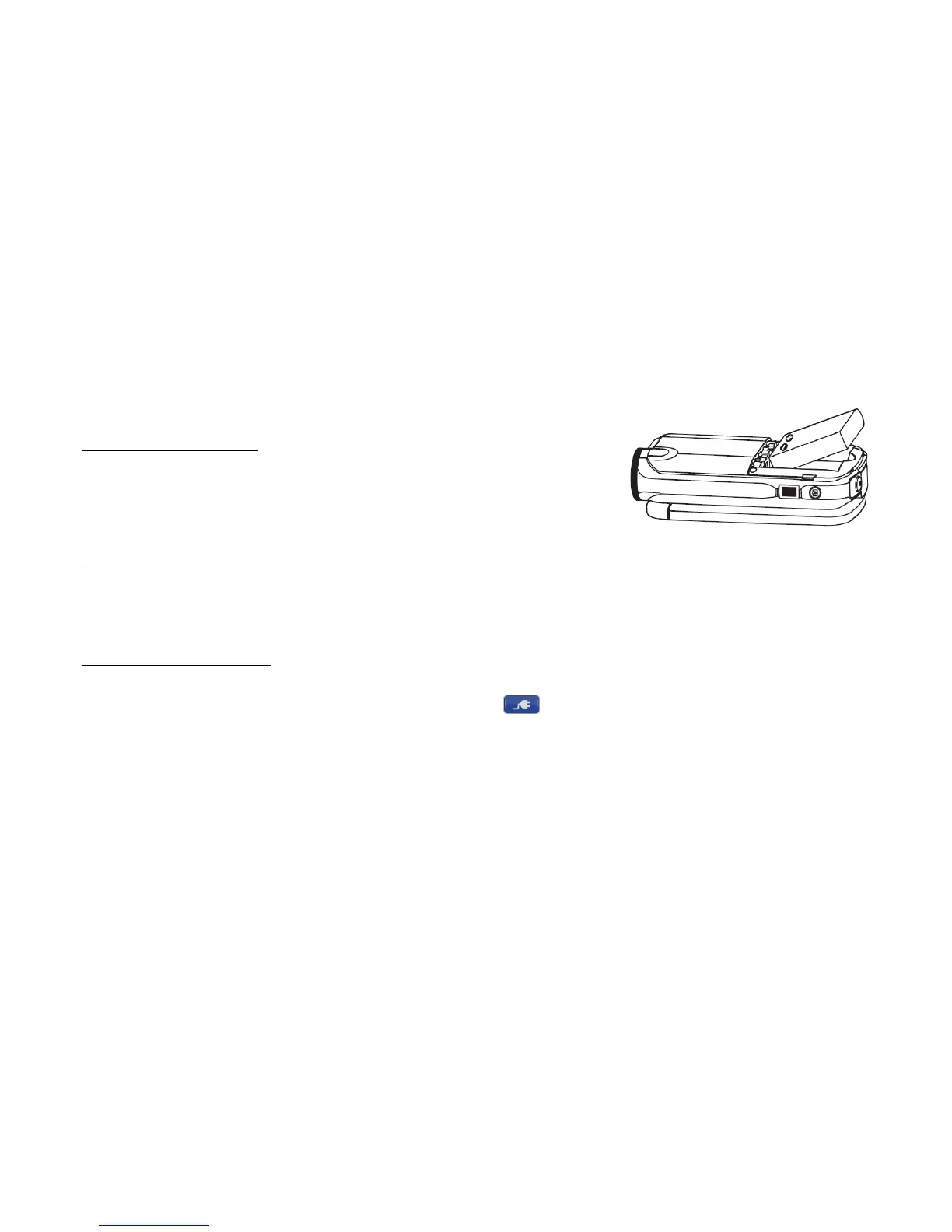
1) To install the battery, remove the battery compartment cover from the side of the camcorder.
2) Insert the battery into the battery slot. Take note of the direction and correct polarity before inserting
the battery.
3) Replace the battery cover.
B. BATTERY CHARGING
1) Power the camcorder off. Insert the included power adapter or USB cable directly into the USB interface. Once plugged in, the charging indicator light
illuminates red to denote a depleted battery.
2) The charging indicator light will illuminate green once charging has completed.
Note: Charge the battery for at least 4 hours for a new battery.
C. EXTERNAL POWER SUPPLY
1) Power the camcorder on and connect the included power adaptor or USB cable into the USB interface.
2) Once powered on, boot into the selection screen or touch the power supply icon [ ] to enable power supply.


 To Next Page