10
automatically shoot a photo after 10 seconds.
• Press the [LEFT] key again, and the [ ] icon appears. Once this mode is enabled, the camcorder will shoot 3 continuous shots once the shutter is
pressed.
B. SELF-SHOTS
To take a self-portrait, you can rotate the LCD screen counterclockwise by 180 degrees. Aim the lens at yourself, adjust the camera angle and focus,
shoot a photo as desired.
C. FUN PHOTOS WITH EMOTICONS AND FRAMES
While in camera mode, you may choose a photo frame and emoticons for fun photo shots.
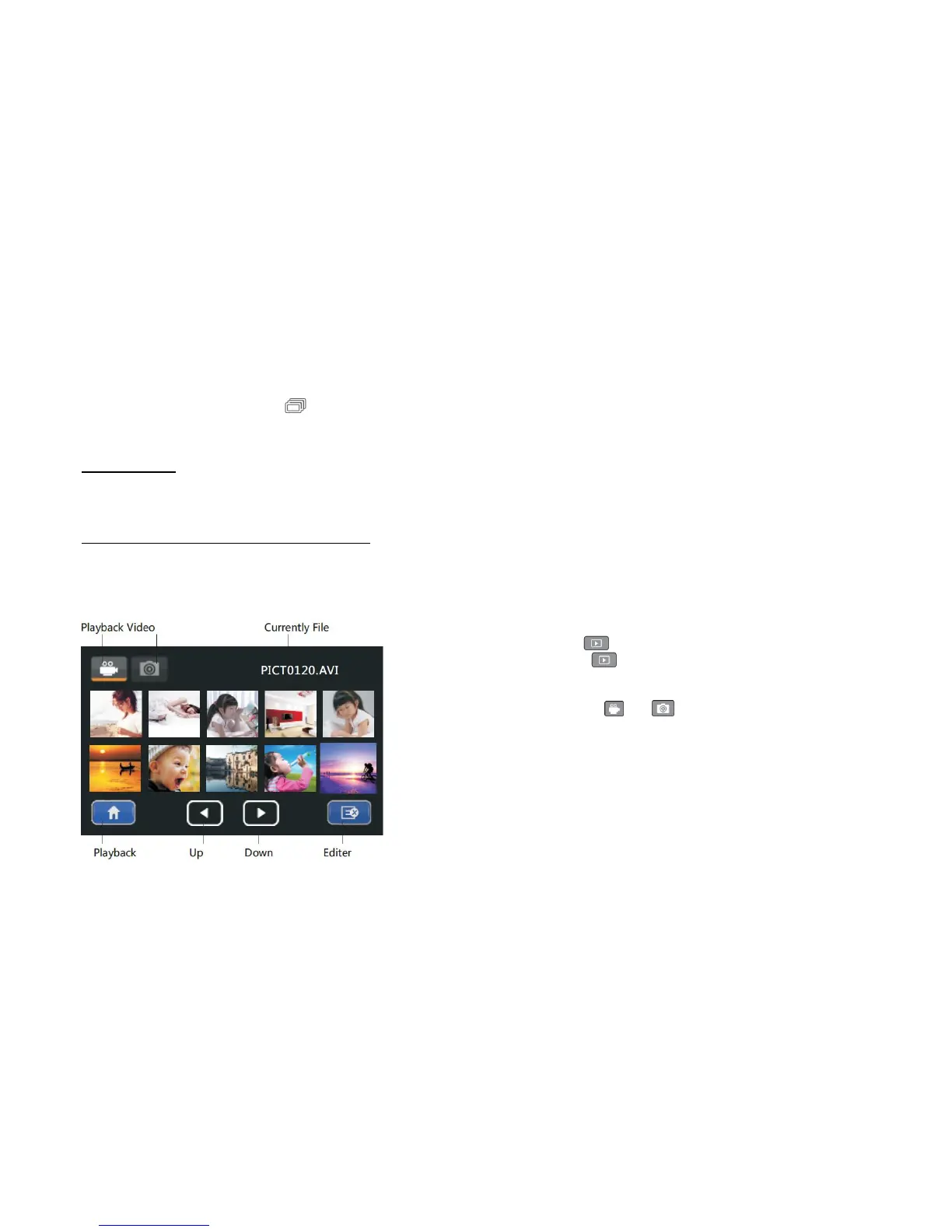
Playback Mode
• While in video mode, press the [ ] playback button to switch to video playback
preview; in camera mode, press the [ ] playback button to switch to photo playback
preview.
• While in playback, press either the [ ] or [ ] keys to select the playback of
video or shoot photos.


 To Next Page