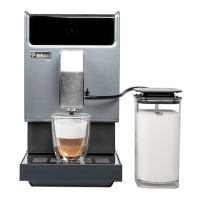
Bellucci Slim Caffè Automatic Coffee Machine
Instruction Manual
Page 14 of 17
E. CLEANING & MAINTENANCE
I. DESCALING
When is flashing, it indicates that the appliance needs to undergo descaling. The appliance will
remain in the best condition if this function is performed at least once a month or more regularly depending
on the hardness of water used. It is also suggested that to
1. Fully fill the water tank.
2. Add one pack of cleaning agent included in the box to the water tank.
IMPORTANT: Do not use vinegar or other cleaning agent to do descaling of this appliance. The cleaning
agent might damage the appliance.
3. Plug in the appliance.
4. Place a sufficient large container under the coffee spout.
5. In standby condition, press and hold and strong coffee button for 5 seconds. A beep
sound will be heard with and strong coffee button will be flashing.
6. Press strong coffee button to confirm undergoing the Descaling process. To resume back to the
standby condition, press .
7. will be flashing indicates that the appliance is undergoing the descaling process. (Caution: Keep
skin/body away from the hot water.)
8. When all the water in the water tank is being dispensed out, and strong coffee button
will be flashing. Remove all the remaining solution in the water tank and fill the tank with normal tap
water to the “max” position. When water is filled into the water tank, will go off. Then the appliance
will continue the descaling process, the appliance will brew half of water tank first and then waiting for
around 1min, after that will brew the outstanding water from the water tank.
9. When the descaling process is completed, the appliance will switch off automatically.
Note: To ensure the descaling process can be completed, please be patient during the process and make
sure the appliance switches off automatically


 To Next Page