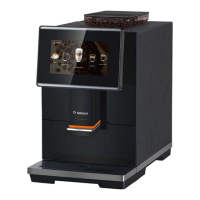
Bellucci Slim Caffè Automatic Coffee Machine
Instruction Manual
Page 15 of 17
II. EMPTY SYSTEM FUNCTION
The empty system function is recommended to be used before long period of non-use, frost protection and
before taking to repair agent.
1. In standby condition, press and hold the and mild coffee button together for 5 seconds.
2. will then be flashing.
3. Remove the water tank from the appliance. will light up stably indicates that the empty system
is under process. You can press before removing the water tank to resume back to the standby
condition.
4. When the empty system function is completed, the appliance will switch off automatically
Important: After performing EMPTY SYSYEM FUNCTION; press the hot water button until water come out
from spout when the coffee maker is reused again.
III. MANUAL RINSING
You can perform a manual rinsing cycle to clean the coffee spout after use. It is also suggested to
perform a manual rinsing if the appliance has not been used for a long period of time.
1. In standby condition, press and hold the and hot water button together.
2. The hot water button , strong coffee button and mild coffee button will then
goes off. The coffee spout will then dispense a small amount of water which is used for the
rinsing.
Danger: Water comes out of the coffee spout is hot and is collected in the drip tray underneath. Avoid
contact with splashes of water.
3. After rinsing, the appliance will return to the standby condition.
IV. CLEANING THE APPLIANCE
1. Disconnect the power cord from the mains supply outlet.
2. Pour away all the water in the internal and external drip tray
3. Use a damped cloth or non-scratching cleaner to clean the water stains on the appliance.
IMPORTANT: Never use any abrasive, vinegar or descaling agents not included in the box to clean the
appliance.


 To Next Page