EasyManua.ls Logo

BELT ALIGNMENT TOOL DIGI-BELT XF-3000 - User Manual

BELT ALIGNMENT TOOL DIGI-BELT XF-3000
17 pages
Print Icon
To Next Page IconTo Next Page
Loading...
www.beltalignmenttool.com
800-997-4467 sales@beltalignmenttool.com
www.beltalignmenttool.com 800-997-4467 sales@beltalignmenttool.com
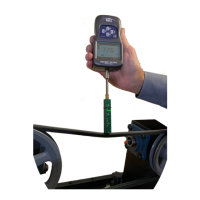
DIGI-BELT XF-3000 BELT Tension Tester
Digital Measurement Tool Instructions
The Digi-Belt™ tension measurement tool is easy to use and gives repeatable belt
tension measurements. The following instructions for use define the procedure
for different belted applications. You must have the force deflection values for
the system you are working on. These values are readily available from your belt
and machine manufactures.
Model 3000-110 Maximum Deflection Force 110 lbs.
Model 3000-220 Maximum Deflection Force 220 lbs.
Section 1. Basic Single & Multi Belt Tensioning Procedure
Section 2. XF B.A.T. Green Laser Single & Multi Belt Tensioning Procedure
Section 3. Wide Belt Procedure Using Wide Belt Adapters
Section 4: Reference photos.
Section 5: BT 357D Operation and Specifications.
Question and Answer IconNeed help?

Do you have a question about the BELT ALIGNMENT TOOL DIGI-BELT XF-3000 and is the answer not in the manual?

BELT ALIGNMENT TOOL DIGI-BELT XF-3000 Specifications

General IconGeneral
BrandBELT ALIGNMENT TOOL
ModelDIGI-BELT XF-3000
CategoryMeasuring Instruments
LanguageEnglish

Summary

DIGI-BELT XF-3000 Manual Overview

DIGI-BELT XF-3000 Kit Contents

List of all items included in the DIGI-BELT XF-3000 kit.

Basic Single & Multi Belt Tensioning Procedure

XF B.A.T. Laser Single & Multi Belt Tensioning Procedure

Wide Belt Tensioning Procedure

Reference Photos

Deflection Span Scale Details

Details of the Deflection Span Scale.

BT-357 D Unit Details

Details of the BT-357D unit.

BT 357 D Operation and Specifications

General Safety Warnings

Essential safety precautions for operation and handling.

Device Overview and Features

Overview of the BT-357D gauge, its features, and display.

LCD Screen Details

Explanation of the BT-357D LCD screen elements and indicators.

Key Functions and Modes

Explanation of key functions and measurement modes (Track, Peak, Preset).

Menu Structure and Navigation

Overview of the multi-level menu interface for setup and navigation.

Data Management (Memory, Browse, Print, Delete)

How to save, view, print, and delete stored measurement data.

System Settings

Configuration options for display, power, sound, and time settings.

Calibration and Language

Procedures for sensor calibration and language selection.

Information and Communication Port

Accessing device info and details on communication interfaces.

Maintenance, Charging, and Troubleshooting

Guidance on care, battery charging, and resolving operational issues.

Capacity and Resolution Specifications

Technical specifications for measurement capacity and resolution.