EasyManua.ls Logo

Beltronics V995 - User Manual

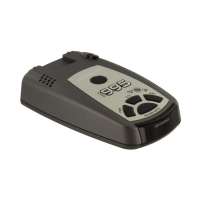
Beltronics V995
16 pages
Print Icon
To Next Page IconTo Next Page
Loading...
Owner’s Manual
Beltronics
5442 West Chester Road
West Chester OH
45069 USA
USA 800-341-2288
www.beltronics.com
©2006 Beltronics
Designed and Manufactured In Canada
Features, specifications and prices subject to change without notice.
Model: V940
Question and Answer IconNeed help?

Do you have a question about the Beltronics V995 and is the answer not in the manual?

Summary

Quick Reference Card Guide

Programming Mode Instructions

Explains the steps to enter and use programming mode for customization.

Quick Reference Card Programming Details

Programming Options and Functions

Details the user-selectable programming options and button functions.

Quick Reference Guide to Operation

Initial Setup and Getting Started

Provides simple steps to plug in, mount, and turn on the V940.

Installation and Mounting Guide

Power Connection Procedure

Explains how to connect the power cord to the detector and vehicle.

Windshield Mounting Guidelines

Guides on choosing a location and using the QuickMount bracket.

Device Controls and Features Overview

Advanced Controls and Features

Alerts and System Indicators Explained

Programming Your V940 Detector

How to Program Device Settings

Step-by-step guide to enter, review, and change settings.

Programming Options Overview

Detailed Programming Settings: Part 1

Detailed Programming Settings: Part 2

Technical Details: Understanding Alerts

Interpreting Radar and Laser Alerts

Guides on understanding radar, laser, and safety alerts based on sound and display.

Radar and Laser Alert Scenarios

Provides specific alert scenarios and their meanings.

Technical Details: Detection Technologies

Principles of Radar and POP Detection

Explains the principles of traffic radar detection and POP mode.

Principles of Laser (Lidar) Detection

Details the principles of LIDAR speed detection and its limitations.

Troubleshooting Common Issues

Problem Resolution and Solutions

Addresses common issues like false alerts, no sensitivity, and display problems.

Troubleshooting and Display Indicators

Service and Support Information

Warranty and Accessories Information

Beltronics V995 Specifications

General IconGeneral
City/Highway ModesYes
POP Mode DetectionYes
Digital Signal Processing (DSP)Yes
AutoScan TechnologyYes
SensitivityHigh sensitivity
Frequency BandsX, K, Ka, Laser
DisplayText display
Power Source12V DC
Voice AlertsYes

Related product manuals