EasyManua.ls Logo

Beltronics Vector 940 - User Manual

Beltronics Vector 940
40 pages
Print Icon
To Next Page IconTo Next Page
Loading...
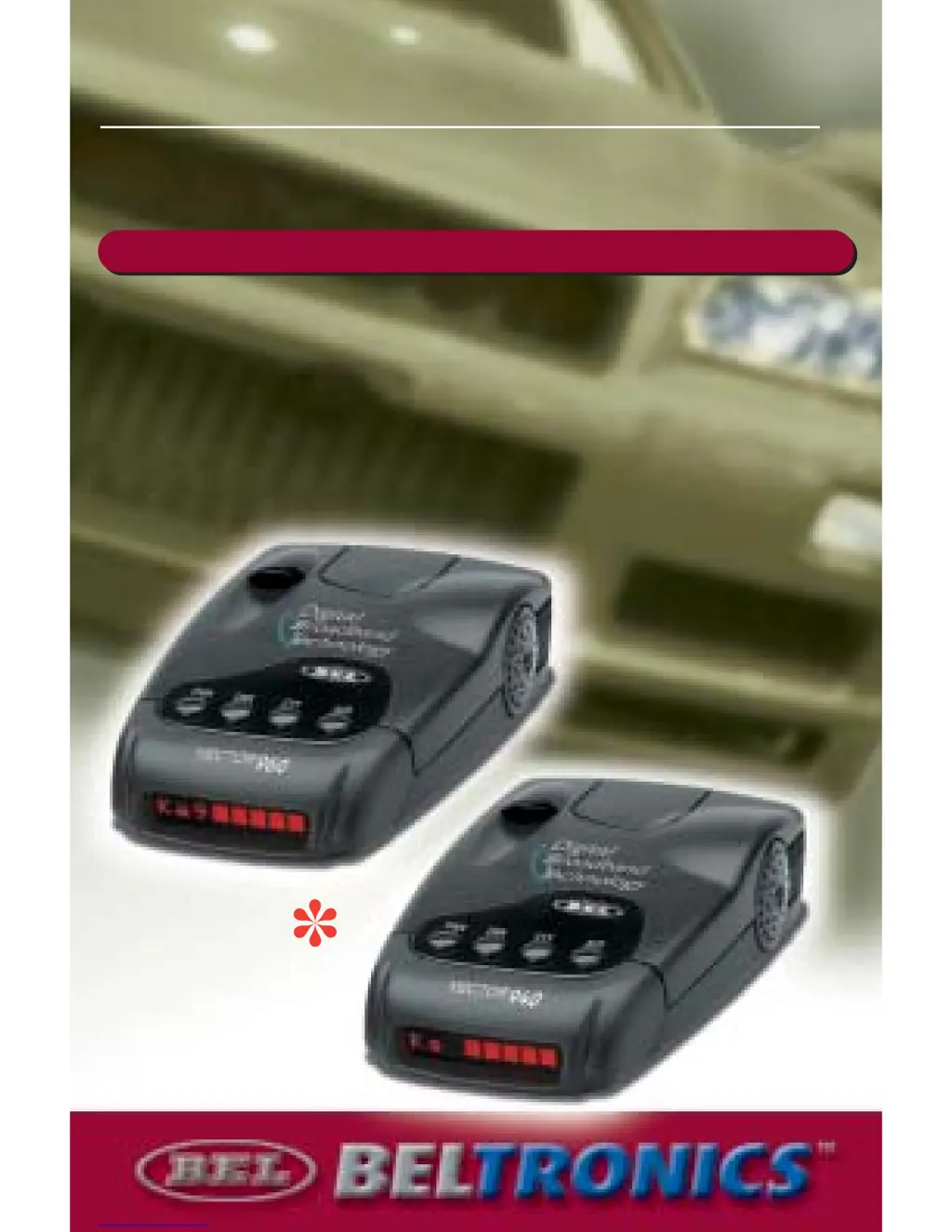
VECTOR 960
VECTOR 960
VECTOR 940
VECTOR 940
THE NEXT GENERATION IN DIGITAL PERFORMANCE
Operating Instructions
MOTOROLAMOTOROLA
digitaldna
TM
MOTOROLA
Model V960
Model V940
k

Questions and Answers

  • M
    michelle05Jul 30, 2025
    What to do if Beltronics Vector 940 is not receiving power?
    • W
      William TurnerJul 30, 2025
      If your Beltronics Radar Detector is not receiving power, start by checking the plug. Make sure it is properly inserted and try rotating it. If that doesn't work, the fuse in the power cord may be defective and need replacement with a 1 amp 250 Volt 3ag fuse. If these steps don't resolve the issue, the lighter socket may not be clean or negatively grounded, or the fuse/electrical wiring for the lighter socket may be defective, requiring professional assistance.
  • R
    Richard WattsAug 6, 2025
    Why Beltronics Vector 940 Radar Detector has partial or no display?
    • C
      Cameron VillarrealAug 6, 2025
      If your Beltronics Radar Detector display is partial or not showing, it might be because dim or dark mode is engaged. Try disengaging dim or dark mode to restore the display.
  • A
    Alyssa MarshallAug 14, 2025
    How to improve poor detection range on Beltronics Vector 940?
    • B
      Billy PhillipsAug 14, 2025
      To improve the detection range of your Beltronics Radar Detector, first ensure that the antenna/lens opening is not blocked. Reposition the unit to have a clear view of the road ahead and behind. Also, check if your vehicle has a heated windshield (Instaclear® or ElectriClear®) or a metallic sun screen, as these can interfere with radar signals.
  • K
    Kenneth RodgersAug 22, 2025
    Why does my Beltronics Vector 940 Radar Detector give erratic or frequent alerts?
    • A
      ashleycervantesAug 22, 2025
      If your Beltronics Radar Detector is giving erratic or frequent alerts, it might be due to a high concentration of non-police X band signals. To address this, try using CTY mode or CTY all mode.

Summary

Operating Instructions

Modes and Features Overview

Product Controls and Interface

Control Button Functions

Explains the function and operation of each control button on the unit.

Getting Started and Operation

Detailed Selectable Features

Feature Descriptions (AutoMute, Voice)

Details features like AutoMute, digital voice prompts, and Safety Warning System.

Feature Descriptions (Scroll, Display)

Explains features related to audio/visual scroll rate and inverted display options.

Installation and Mounting

General Installation Guidelines

Provides guidance on optimal mounting locations and avoiding signal obstruction.

Mounting Methods

Details dash and windshield mounting procedures for the detector.

Visor Mounting and Fuse Replacement

Explains visor mounting and the process for replacing the power cord fuse.

Understanding Detection Technologies

Alert Interpretation

Radar Alert Scenarios (Stationary;Moving)

Illustrates radar situations like stationary, moving, and cornering radar.

Radar Alerts (Concealed;Reflected)

Explains alerts for radar concealed by hills and reflected radar signals.

Instant-On;Pulsed Radar Alerts

Explains alerts for instant-on and pulsed radar signals.

Laser Alerts

Explains how laser signals are detected and alerts provided.

Performance Verification

Troubleshooting Common Problems

Power and Detection Issues

Addresses power issues, poor detection range, and false alerts.

Display and Alert Troubleshooting

Offers solutions for display problems and frequent false alerts.

Warranty and Service Information

Quick Reference Guide

Beltronics Vector 940 Specifications

General IconGeneral
SensitivityHigh
Laser DetectionYes
Pop Mode DetectionYes
City/Highway ModesYes
Voice AlertsYes
Display TypeLED
Auto MuteYes
Power Source12V DC
Weight6.4 ounces
Detection RangeLong-range detection
Frequency BandsX, K, Ka

Related product manuals